Merge PDF Files
Turn multiple documents into one organized file. Perfect for sharing or storage.
Supports PDF
Size up to 100 MB
How to merge PDF files
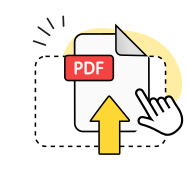
Upload your PDF files
Select multiple PDF files from your device or drag and drop them into the merge tool.
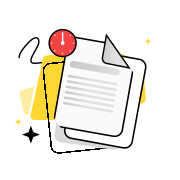
Arrange files in order
Reorder your PDFs by dragging them into the desired sequence for your merged document.
Download merged PDF
Click merge to combine PDF files into one document, then download your single PDF file.
Explore more OnlyDoc tools


 Expert conversion tools
 Easy e-signatureAI-powered tools
Turn document text into other languages in just a few seconds.

Reduce file size while keeping text and visuals clear.

Recognize text to make scanned files searchable.
Compress file size to 100KB keeping text and visuals clear.
Your complete PDF combiner for every project
Multi-file processing

Merge PDF documents from different sources into one organized document. Our online PDF merger handles multiple documents without switching between tools.
Files stay private

Upload your PDFs securely to our servers. Documents are deleted automatically after processing, keeping your content confidential.
Quality preserved

Merge PDF without losing quality or formatting. Text, images, and layouts remain crisp in your combined file.
Works every time

Reliable PDF merge tool that handles various file sizes and page counts. Combine PDF files consistently across different document types.
Perfect results

Merge PDF pages in the exact order you need. The final document maintains proper page flow and professional appearance.
No sign-up required

Free merge PDF online tool that works instantly. Combine PDFs right in your browser without creating accounts or downloading software.
Merge PDF free of charge no sign up
Frequently asked questions
What is a PDF merge tool?
A PDF merge tool is software that combines multiple PDF documents into a single file. Our tool lets you upload several PDF files and arrange them in your preferred order before creating one unified document. This eliminates the need to manually copy content between files or use complex desktop software. The merged PDF maintains the original formatting, fonts, and layout of each source document. You can merge anything from simple text documents to complex files with images, tables, and graphics. The process works entirely in your web browser without requiring downloads or installations.
Can I merge PDFs in a specific order?
Yes, you can arrange your PDF files in any order before merging them. After uploading your documents, simply drag and drop them to rearrange the sequence. The final merged PDF will follow exactly the order you set. This feature is essential when combining chapters of a report, organizing invoices by date, or assembling presentation slides in the correct sequence. You can also remove any unwanted files from the list before starting the merge process. The tool shows a clear preview of your file order so you can verify everything is correct before creating the final document.
Will the original formatting be preserved after merging?
Yes, the original formatting of each PDF document remains intact during the merge process. Fonts, colors, images, tables, and page layouts are preserved exactly as they appear in the source files. Headers, footers, and page numbering from individual documents are maintained in their respective sections of the merged PDF. This ensures professional-looking results whether you're combining business reports, academic papers, or marketing materials. The tool processes each page individually to maintain quality and formatting consistency. You won't need to worry about text shifting, images becoming distorted, or losing any visual elements from your original documents.
Can I compress the merged PDF file?
Yes, you can compress the merged PDF to reduce its file size using our compress PDF tool. After merging your documents, the combined file might be larger than needed for sharing or storage. Compression reduces the file size while maintaining readable quality, making it easier to email or upload to cloud storage. The compression process optimizes images and removes unnecessary data without affecting the document's content or structure. This is particularly useful when merging multiple large files or documents with many high-resolution images. You can choose different compression levels based on your quality and size requirements.
Can I remove pages before merging?
Yes, you can remove unwanted pages from individual PDF files before merging them together. This feature lets you exclude cover pages, blank pages, or irrelevant sections from each document. Simply select the specific pages you want to include from each PDF, and the tool will merge only those selected pages into the final document. This saves time compared to merging everything first and then editing the result. You can preview each page before making your selection to ensure you're including the right content. This selective merging is perfect for creating custom reports or combining specific sections from multiple documents.
How do I merge PDF files for free?
You can use our online tool Merge PDF free of charge without any software installation. Simply visit our website, click the upload button, and select the PDF documents you want to combine. Drag and drop the files to arrange them in your desired order, then click the merge button to create your combined document. The entire process happens in your browser and takes just a few seconds. There are no hidden fees, registration requirements, or watermarks added to your merged PDF. This free online solution works on any device with internet access, making it convenient for both personal and professional use.
Is it safe to merge PDF online?
Yes, merging PDF documents online through our tool is safe and secure. All file uploads and processing happen over encrypted connections to protect your data during transmission. Your documents are automatically deleted from our servers after processing, ensuring your sensitive information remains private. We don't store, share, or access the content of your PDF files. The entire merge process is designed with privacy in mind, making it suitable for confidential business documents, personal files, and sensitive information. Our security measures meet industry standards for handling document processing online.
What file formats can I merge besides PDF?
Currently, our merge tool specifically handles PDF documents to ensure consistent formatting and compatibility. PDF files maintain their structure and appearance across different devices and operating systems, making them ideal for document merging. While you cannot directly merge other formats like Word documents or images, you can first convert those files to PDF using our other conversion tools, then merge them together. This two-step process ensures the best quality results and maintains professional formatting throughout your combined document. The PDF format also preserves fonts, images, and layouts better than most other document types.
How many PDF files can I merge at once?
You can merge multiple PDF files in a single operation, though the exact number depends on the total file size and your internet connection. Our tool efficiently handles several documents at once, making it practical for combining reports, invoices, or presentation materials. For best performance, we recommend merging files in batches if you have a very large number of documents. The tool processes each file individually before combining them, ensuring quality is maintained regardless of how many PDFs you're merging. Larger files may take slightly longer to process, but the merge quality remains consistent.
Does merging PDF files reduce quality?
No, merging PDF files does not reduce the quality of your original documents. Our merge PDF tool preserves the resolution of images, sharpness of text, and clarity of graphics from each source file. The merging process combines pages without recompressing or altering the original content, maintaining the same visual quality as your input documents. Colors, fonts, and formatting remain exactly as they appeared in the individual PDFs. This quality preservation makes the tool suitable for professional documents, high-resolution images, and detailed technical drawings that require precise visual representation.