PDF to Text Converter
Extract clean, editable content from any document in seconds, ready to copy, search, or process further.
Supports PDF
Size up to 100 MB
How to convert PDF to text
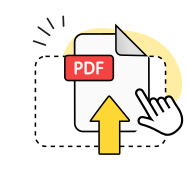
Upload your PDF
Select the PDF file you want to extract text from and upload it to start.
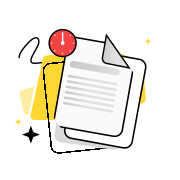
Extract the text
Our tool processes the PDF and extracts all readable text from the document.
Download your text file
Save the extracted content as a .txt file to use in any application.
Explore more OnlyDoc tools


 Expert conversion tools
 Easy e-signatureAI-powered tools
Turn document text into other languages in just a few seconds.

Reduce file size while keeping text and visuals clear.

Recognize text to make scanned files searchable.
Compress file size to 100KB keeping text and visuals clear.
Why our tool helps you convert PDF to text
Fast text extraction
Your PDF content is extracted and delivered as a plain text file in seconds. Copy, edit, or process it right away.
Secure by design

All uploads are encrypted in transit. Our platform is GDPR-compliant and verified by Google Safe Browsing.
Plain text output
The extracted text preserves the reading order of your PDF, including headings, paragraphs, and list items.
Works on any device

Use our converter on any device and operating system. Access it from Windows, macOS, iOS, or Android.
No software to install

Our converter runs in your browser. Nothing to download or configure on your device.
Free PDF to text converter

Use our free PDF to text converter as often as you need. No account, no subscription, no charge.
Convert PDF to text free of charge
Frequently asked questions
Is it safe to use a PDF to text converter?
Yes. All connections are encrypted, and our platform is GDPR-compliant and verified as safe by Google Safe Browsing. The tool is suitable for personal documents, business reports, academic papers, and any other content you need to extract. No account or registration is required, and your privacy is protected throughout the process.
Why convert PDF to text?
PDF is a fixed-layout format that is not natively editable. Extracting the content as plain text makes it possible to copy, search, index, translate, or process it in other applications. Common use cases include preparing content for a word processor, extracting data for analysis, making a document searchable, and feeding content into automated workflows. When you need the raw content rather than the visual layout, you can convert PDF to text online with our tool and get a lightweight output that works everywhere. Plain text files are compatible with virtually every application, scripting language, and operating system.
What is a .txt file, and why would I need one?
A .txt file is a plain text document with no formatting, no embedded fonts, and no visual layout. It contains only the raw characters of the source content. TXT is the most universally compatible format: every operating system, programming language, and text editor can read it without special software. The PDF to text file you receive strips away all visual styling and retains only the readable content. If you need to use that content in a script, a database, or an editor, converting to TXT is often the most practical starting point. You can convert PDF to TXT with our tool and get a result that opens on any device and integrates into any workflow.
Does the formatting stay the same?
Plain text does not support rich formatting such as fonts, colours, columns, or tables. When you convert PDF to text document format, all visual structure is stripped and only the characters and whitespace are retained. Reading order is preserved: headings appear before body copy, and paragraphs are separated by line breaks. This is what it means to convert PDF to text without losing formatting: the sequence and structure of the content carry across, while visual styling does not. For documents where appearance matters, check our website for converters that output formatted files. To turn PDF into text for editing, analysis, or translation, our tool produces a clean file with all readable content intact.
Can I extract text from a scanned PDF?
A scanned document contains images of pages rather than selectable, machine-readable text. Standard extraction works by reading the text layer embedded in the file. If that layer is absent, as is the case with scans and photographs, OCR technology is needed to interpret the image. Our tool applies OCR automatically when a scanned document is detected, enabling PDF to text conversion from scanned sources. Results depend on scan quality: clear, high-resolution scans at 300 DPI or above produce accurate output, while blurred or skewed images may need manual correction. Converting PDF to text from a digitally created source is more reliable, as the text layer is present and complete.