Convert PDF to JPG
Transform your PDF documents into crisp, shareable JPG images with no sign up required. Simply upload your file and export each page as a separate image.
Supports PDF
Size up to 100 MB
How to convert PDF to JPG
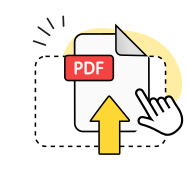
Upload your PDF
Drag & drop your file or select it from your device.
Wait a few seconds
We'll automatically convert your PDF to JPG format.
Download your images
Your converted JPG files will download automatically.
Explore more OnlyDoc tools


 Expert conversion tools
 Easy e-signatureAI-powered tools
Turn document text into other languages in just a few seconds.

Reduce file size while keeping text and visuals clear.

Recognize text to make scanned files searchable.
Compress file size to 100KB keeping text and visuals clear.
Why choose our free PDF to JPG converter
Fast processing
Our online tool delivers quick results whether you're converting a single page or an entire document — most files finish in under 30 seconds.
High quality output
Convert PDF to JPG without losing quality. Your images retain the original layout, colors, and visual fidelity of your source file.
Sharp image clarity

Every photo, screenshot, and graphic in your PDF translates to clean, professional JPG images ready for any use.
Simple to use

Change PDF to JPG in just a few clicks. Our solution minimizes steps so you can save time and focus on what matters.
Works on any device

This platform works seamlessly on Windows, Mac, iPhone, Android, and Linux — no software installation needed.
Secure file handling

Your documents stay protected with industry-standard encryption. Files are processed safely and never stored longer than necessary.
Convert PDF to JPG free of charge
Frequently asked questions questions
How to convert PDF to JPG?
To turn PDF into JPG, simply upload your PDF file, wait a few seconds while the conversion processes, and then download your JPG images. Each page becomes a separate image file you can save and share.
Which devices can I use to convert PDF to JPG?
You can use our PDF to JPG converter free of charge on any device and operating system. OnlyDoc works directly in your browser on Windows, Mac, Android, iPhone, and Linux — no downloads required.
Do the images retain the original layout?
Yes. When you convert PDF to JPEG, your images maintain the exact layout, formatting, and visual quality of the original document. Text, graphics, and photos all transfer accurately.
What is the size limit of an input PDF?
You can convert PDF files up to 100 MB in size, which comfortably covers most standard documents and digital files.
Can I convert just one PDF page to JPG?
Yes. Our tool lets you save PDF to JPG for individual pages or convert an entire multi-page document. You have full control over which pages to export as images.
Can I convert multiple PDF pages into separate JPG files?
Yes. When you convert a PDF file to JPG, each page automatically becomes its own separate image file. Upload multiple files one at a time to convert them all.
How long does the PDF to JPG conversion process take?
Most conversions complete in just a few seconds. Larger or more complex PDF documents may take slightly longer, but the process typically stays under 30 seconds.
Is OnlyDoc the best free PDF to JPG converter?
OnlyDoc is considered one of the best options for converting PDF to JPG free of charge. It delivers high-quality image output, works on any device, and requires no sign-up — just upload your file and download the results.
Do I need to create an account to convert files?
No sign-up is required to use our PDF to JPG converter. You can convert and download files immediately without creating an account. Registering is optional — if you do, your files are saved in a dashboard for future access.