Delete Pages From PDF
Clean up your documents by removing unwanted sections. Keep only what you need for sharing or printing.
Supports PDF
Size up to 100 MB
How to remove pages from a PDF
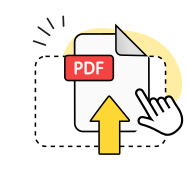
Upload your PDF file
Drag and drop your PDF document or browse to select it from your device.
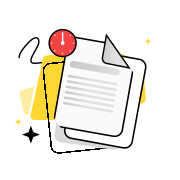
Select pages to delete
Click on unwanted pages to mark them for removal from your PDF document.
Download edited PDF
Save your new PDF file with the selected pages deleted and reduced file size.
Explore more OnlyDoc tools


 Expert conversion tools
 Easy e-signatureAI-powered tools
Turn document text into other languages in just a few seconds.

Reduce file size while keeping text and visuals clear.

Recognize text to make scanned files searchable.
Compress file size to 100KB keeping text and visuals clear.
Your go-to PDF page remover for any document
Clean page removal

Delete pages from PDF files with precision. Mark unwanted pages and remove them instantly to create a streamlined document.
Files stay private

Your PDF documents are processed securely and deleted from our servers within hours. No third-party sharing or data retention.
Sharp text quality

Maintain crisp formatting when you delete PDF pages. Text, images, and layouts stay intact in your edited document.
Reliable processing

Remove pages from PDF files consistently. Our tool handles large documents and multiple page deletions without errors.
Accurate results

Delete pages in PDF documents exactly as intended. Preview changes before saving to ensure the right pages are removed.
No sign-up required

Start deleting pages from a PDF immediately. Access our page remover tool without creating accounts or downloading software.
Delete pages from PDF free of charge
Frequently asked questions
Can I delete multiple pages at once?
Yes, our tool allows you to select and delete multiple pages from your PDF in a single operation. Simply click on each unwanted page to mark it for removal, then process all selected pages together. This saves time when you need to remove several non-consecutive pages from a large document. The tool highlights your selections clearly so you can review before finalizing the deletions.
Can I delete blank pages automatically?
No, our tool requires manual selection of pages to delete rather than automatic detection. You need to identify and click on each blank page individually to mark it for removal. This manual approach ensures you maintain full control over which pages are deleted and prevents accidental removal of pages that might appear blank but contain important invisible elements or formatting.
Can I edit the PDF further after deleting pages?
Yes, after deleting pages you can continue editing your PDF using our PDF editor. The tool provides additional editing capabilities beyond page removal, allowing you to modify text, add annotations, merge documents, or make other changes to your newly streamlined PDF file. Your edited document maintains its original quality and formatting throughout the process.
Can I delete pages from a PDF without affecting the rest of the document?
Yes, deleting pages from a PDF preserves the formatting, layout, and content of all remaining pages. The removal process only affects the specific pages you select, leaving the rest of your document completely unchanged. Page numbers and internal links automatically adjust to reflect the new structure, ensuring your document remains fully functional after the deletion process.
Can I delete pages from password-protected PDFs?
You can only delete pages from password-protected PDFs after unlocking them first. Our tool requires access to the PDF content to perform page removal operations. If your document has security restrictions, you'll need to remove the password protection before proceeding with page deletion. Once unlocked, the deletion process works the same as with regular PDF files.
How do I delete pages from PDF files for free?
Upload your PDF document to our online tool, which provides free page removal without requiring software installation or registration. Select the unwanted pages by clicking on them, then download your modified document. The service works entirely in your web browser and processes files quickly while maintaining document quality and security throughout the deletion process.
Will deleting PDF pages reduce the file size?
Yes, removing pages from your PDF document typically reduces the overall file size proportionally to the content removed. However, the size reduction depends on what each page contains, such as images, graphics, or embedded fonts. Pages with high-resolution images will create more significant size reductions when deleted compared to text-only pages. The tool optimizes the remaining content for efficient storage.
How can I remove unwanted pages from large PDF documents?
For large PDF files, use the page preview feature to quickly identify and select unwanted pages for removal. The tool displays thumbnail previews of each page, making it easy to spot unnecessary content, duplicate pages, or sections you no longer need. Click on multiple pages to select them, then process the deletion to create a streamlined version of your document.
What happens to page numbers after deleting a page from a PDF?
Page numbers automatically renumber sequentially after deleting a page from a PDF document. If you remove page 5 from a 10-page document, the former page 6 becomes the new page 5, and so on. Internal bookmarks and cross-references within the document also update to reflect the new page structure, ensuring navigation links remain accurate in your modified PDF.
Can I delete blank pages in PDF documents that appear between chapters?
Yes, you can manually identify and remove blank pages that appear between chapters or sections in your PDF. These pages often result from formatting during document creation or conversion processes. Simply locate the blank pages using the thumbnail view, select them for deletion, and process your document to eliminate the unnecessary spacing while preserving your content structure.