PDF to Image Converter
Extract pages for sharing and preview on any device without downloads.
Supports PDF
Size up to 100 MB
How to convert PDF to image
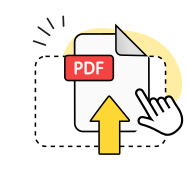
Upload your PDF file
Drag and drop your PDF document or browse to select it from your device for conversion.
Choose image format
Select JPG, PNG, or another format to convert PDF pages into high-quality images.
Download your images
Save individual image files or get them all in a convenient ZIP archive download.
Explore more OnlyDoc tools


 Expert conversion tools
 Easy e-signatureAI-powered tools
Turn document text into other languages in just a few seconds.

Reduce file size while keeping text and visuals clear.

Recognize text to make scanned files searchable.
Compress file size to 100KB keeping text and visuals clear.
Convert PDF to image files with precision and speed
Multiple format output

Turn PDF pages into JPG, PNG, TIFF, or JPEG files. Each page becomes a separate image you can download instantly.
Files stay private

Your PDF documents are processed securely and deleted within hours. We never share your files with third parties.
Sharp text quality

Converting PDF to photo preserves crisp text and graphics. High DPI settings keep your images clear at any size.
Works reliably
Our converter handles complex layouts without errors. Convert PDFs to image files consistently, even with multiple pages.
Accurate results

Convert PDF to image online without losing formatting. Colors, fonts, and spacing stay exactly as they appear in your PDF.
No signup required

Convert PDF to image file formats through your browser. No registration, downloads, or software installation needed.
Convert PDF to image free of charge
Frequently asked questions
Which image formats can I convert my PDF into?
Our tool supports converting PDFs to multiple image formats including JPG, JPEG, PNG, TIFF, SVG, WebP, GIF, AVIF, and HEIC files. Each format offers different advantages depending on your needs. JPG provides excellent compression for photographs, PNG maintains transparency and sharp text, while TIFF preserves the highest quality for professional use. You can select your preferred format during the conversion process to match your specific requirements for converting PDF to image files.
Will the quality of the images match the original PDF?
Yes, our converter maintains the original quality of your PDF content during the conversion process. The tool preserves text sharpness, image clarity, and color accuracy to ensure your converted images look identical to the source document. We use advanced algorithms that prevent quality loss when you convert PDF to photo formats, so graphics, photographs, and text elements retain their original resolution and detail throughout the entire PDF to image conversion.
Will text and graphics stay sharp after conversion?
Yes, both text and graphics remain crisp and clear after converting PDF to image without losing quality. Our conversion engine processes each page element individually to maintain optimal sharpness. Text stays readable at any zoom level, while graphics and illustrations preserve their original detail and color depth. The tool automatically adjusts resolution settings to ensure professional-quality output that matches your original PDF document perfectly.
Can I convert password-protected PDFs?
You can convert password-protected PDFs only after unlocking them first using our unlock PDF tool. The security restrictions prevent direct access to the content, so you need to remove the password protection before starting the conversion process. Once unlocked, the file converts normally to any supported image format. This ensures document security while still allowing you to turn PDFs into image files when you have proper access permissions.
Can I convert scanned PDFs into images?
Yes, our tool successfully converts scanned PDFs into high-quality image files. Scanned documents often contain embedded images rather than text layers, making them ideal candidates for conversion. The process preserves the original scan quality while allowing you to extract individual pages as separate image files. This works particularly well for digitized documents, forms, and archived papers that need to be shared as pictures through our online converter.
How do I convert PDF to image on my phone?
Converting PDF to image on mobile devices works through your phone's browser without requiring app downloads. Simply visit our online converter, tap to upload your PDF file, select your preferred image format, and start the conversion. The mobile interface adapts to your screen size for easy navigation. Once processing completes, you can download the converted images directly to your phone's gallery or cloud storage for immediate use.
Is PDF to image conversion free?
Yes, you can convert PDF to picture files completely free using our online tool. There are no hidden charges, subscription requirements, or conversion limits for standard use. The free service includes access to all supported image formats and maintains full quality output. You simply upload your PDF, choose your desired format, and download the converted images without any payment or registration required for basic conversions.
Can I convert just one page of my PDF?
Yes, you can select individual PDF pages to convert PDF to image file rather than processing the entire document. This feature proves useful when you only need certain pages as pictures for presentations or sharing. Simply choose the specific page numbers during the conversion process, and our tool will generate separate image files for just those selected pages while maintaining their original quality and formatting throughout the process.
What happens to file size during conversion?
File size typically changes when you convert PDF to image online depending on the chosen output format and compression settings. JPG files usually result in smaller sizes due to compression, while PNG files may be larger but preserve transparency. TIFF formats create the largest files but maintain maximum quality. Our tool automatically optimizes each conversion to balance file size with image quality for practical use and efficient download speeds.
How secure is the PDF to image conversion process?
Our PDF to image conversion maintains strict security protocols to protect your documents throughout the process. Files are processed on secure servers with encrypted connections, and all uploaded content gets automatically deleted after conversion completion. We never store, share, or access your document contents, ensuring complete privacy for sensitive materials. The entire conversion happens in a protected environment designed for confidential document handling and secure file processing.