Rotate PDF Pages Online
Fix upside-down or sideways documents in seconds. No software needed, works in any browser.
Supports PDF
Size up to 100 MB
How to rotate a PDF
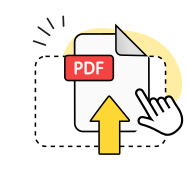
Upload your PDF file
Select your PDF document from your device or drag and drop it into the online tool.
Choose rotation angle
Pick individual pages or rotate all pages in PDF clockwise or counterclockwise as needed.

Download rotated PDF
Save your new PDF with corrected orientation directly to your browser for free.
Explore more OnlyDoc tools


 Expert conversion tools
 Easy e-signatureAI-powered tools
Turn document text into other languages in just a few seconds.

Reduce file size while keeping text and visuals clear.

Recognize text to make scanned files searchable.
Compress file size to 100KB keeping text and visuals clear.
Why choose our PDF rotator for your documents
Rotate pages precisely

Select individual pages or rotate all pages in PDF clockwise or counterclockwise. Turn PDF upside down or fix sideways orientation with exact control.
Files stay secure

Upload your PDF file to our protected servers. We delete all documents within 24 hours and never share your files with third parties.
Text stays crisp

Maintain perfect text quality when you rotate PDF pages online. Your document formatting and resolution remain intact after rotation.
Works in any browser

Access our online tool from any device without software downloads. Rotate PDF and save directly in Chrome, Safari, Firefox, or Edge.
Preview before download

See thumbnail previews of how pages will look after rotation. Check orientation changes before you download your new PDF file.
Free online access

Easily rotate PDF documents online for free without creating an account. Drag and drop multiple files and use our PDF turner at no cost.
Rotate PDFs with our free PDF rotator
Frequently asked questions
Can I rotate specific pages only?
Yes, you can rotate individual pages in your PDF document without affecting other pages. Our online tool displays thumbnail previews of each page, allowing you to select specific pages that need rotation. Simply click on the page you want to rotate, then choose clockwise or counterclockwise direction. This feature is particularly helpful when only certain pages are upside-down or sideways while others have the correct orientation already.
Will the quality of my PDF change after rotation?
No, rotating your PDF pages maintains the original file quality and resolution completely. The rotation process only changes page orientation without compressing or altering the content. Text stays crisp, images remain sharp, and all formatting is preserved exactly as before. Your rotated PDF keeps the same file size and visual clarity as the original document, ensuring professional results every time you rotate PDF pages.
Can I rotate scanned PDFs?
Yes, our online tool can rotate scanned PDF documents just like any other PDF file. Whether your scanned document appears upside-down or sideways, you can easily correct the orientation using the same rotation controls. The tool works with all types of PDF content, including scanned images, text documents, and mixed-content files. Simply upload your scanned PDF and apply the rotation as needed to achieve proper viewing.
How do I rotate a PDF online for free?
To rotate PDF online for free, drag and drop your file into our browser-based tool or click to upload it from your device. Once uploaded, you'll see thumbnail previews where you can select which pages need rotation. Choose your rotation direction and click to apply the changes. Finally, download your new PDF with corrected orientation directly to your device at no cost through this free online tool.
Can I rotate pages in different directions?
Absolutely, you can rotate different pages in various directions within the same PDF document. Our rotation tool allows you to select individual pages and apply different rotation angles to each one. For example, you might rotate some pages left while turning others right, or leave certain pages unchanged. This flexibility helps fix mixed-orientation documents where pages face different directions throughout the file.
What devices can I use to rotate PDF pages?
You can rotate PDF documents on any device with a web browser, including Windows computers, Mac laptops, tablets, and smartphones. Our online PDF tool works directly in your browser without requiring software downloads or installations. Whether you're using Chrome, Safari, Firefox, or Edge, the tool provides the same functionality across all platforms, making it easy to edit PDF files wherever you are working.
How do I turn PDF upside down?
To turn PDF pages upside down, upload your document and select the pages that need flipping. Click the rotation button twice to rotate the pages 180 degrees, which will turn them completely upside down. This is useful when documents were scanned or created in the wrong orientation. You can turn all pages in the PDF upside down or just select specific pages that need this correction.
Is there a file size limit for PDF rotation?
Our free online tool supports PDF files up to reasonable size limits for most standard documents. While exact limits may vary, typical business documents, reports, and presentations rotate without issues. If you encounter size restrictions with very large files, consider splitting your PDF into smaller sections, rotating each part separately, then merge them back together for the final result using our other PDF tools.
Can I rotate multiple PDF files at once?
Currently, our tool processes one PDF file at a time, but you can rotate all pages within that document simultaneously. If you need to rotate multiple separate PDF files, you'll need to upload and process each file individually. However, within each PDF, you can easily rotate pages or the entire document in a single operation, saving time when correcting orientation issues across your documents.
Do I need special software to rotate PDF documents?
No special software installation is required to rotate PDF document pages with our online tool. Everything works directly in your web browser, making it a convenient solution for quick PDF editing tasks. Simply visit our website, upload your file, make your rotations, and download the corrected document. This browser-based approach works on any operating system and eliminates the need for desktop applications to rotate and save your files.