PDF to HTML Converter
Get structured, web-ready content from your documents, ready to embed, edit, or publish.
Supports PDF
Size up to 100 MB
How to convert PDF to HTML
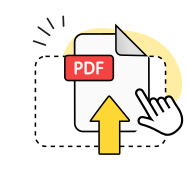
Upload your PDF
Select a PDF file or drag it into the upload area to begin the process.
Convert to HTML
Our tool parses the document structure and maps content into a clean HTML file.

Download and use
Save the HTML file to your device and open or embed it wherever you need.
Explore more OnlyDoc tools


 Expert conversion tools
 Easy e-signatureAI-powered tools
Turn document text into other languages in just a few seconds.

Reduce file size while keeping text and visuals clear.

Recognize text to make scanned files searchable.
Compress file size to 100KB keeping text and visuals clear.
What our PDF to HTML tool offers you
Web-ready output

Your PDF content is extracted into a structured HTML file, formatted and ready to open in any web browser.
Secure by design

All file transfers use encryption. Our platform is GDPR-compliant and verified by Google Safe Browsing.
Content faithfully extracted
Headings, paragraphs, and text formatting from your PDF are mapped to the corresponding HTML elements.
Works on any device

Compatible with any device and operating system, including Windows, macOS, iOS, and Android.
No installation needed

Nothing to download or configure. The entire process runs in your browser with no setup.
Free of charge

You can use our free online converter as often as you need. No account, no subscription.
Try our free PDF to HTML converter
Frequently asked questions
What is PDF to HTML conversion?
When you use an online tool like ours to convert your PDF files to HTML, it extracts the text, structure, and content from a fixed-layout document and outputs it as a structured markup file. PDF is designed for consistent rendering across devices, with content locked into precise page positions. HTML is a format that browsers render, style, and adapt to different screen sizes. Converting between the two is useful when you need to publish document content on a website, embed it in a web page, or make it indexable by search engines. The resulting file can be edited in a text editor, a content management system, or any authoring tool.
Will the formatting stay the same in the HTML file?
Most text-based content and structure carries across well. Headings, paragraphs, and basic layout are mapped to the corresponding HTML elements. Some PDF-specific formatting, such as precise pixel positioning, multi-column layouts, or decorative effects, may differ in the output, as HTML adjusts content to screen size and rendering engine. To convert PDF to HTML without losing formatting, start with a well-structured, text-based source file. Single-column documents such as reports, articles, and letters produce the cleanest output. Converting PDF to HTML files from digitally created sources is more accurate than from scanned documents, where the text layer may be missing or incomplete.
How long does it take to convert a PDF to HTML?
Most conversions complete in under 30 seconds. Simple, text-based files are processed very quickly, while large files with many images or embedded fonts may take slightly longer. You can convert PDF to HTML online with no installation: the process starts immediately after upload. Once complete, the result is ready to download and use.
Can I convert a large PDF to HTML?
Yes. Our tool supports files up to 100 MB, which covers most standard documents, reports, and publications. If your file exceeds this limit, consider splitting it into sections before converting. Multi-page documents are processed in full, and the content is structured into a single output file. You can convert PDF to HTML free of charge with no daily limits, regardless of page count. For best results, use digitally created source files rather than scanned images, as text extraction is more reliable when a digital text layer is present. Turn PDF into HTML from any source type, though OCR-dependent documents may produce less predictable structure.
Can I convert a PDF with multi-column layouts to HTML?
Multi-column layouts, such as newspaper-style columns or two-column academic papers, are challenging to convert accurately. Column structure in a fixed-layout document is defined by precise positioning, which does not translate directly to the flow-based layout model used by browsers. Our PDF converter produces an output file, but columns may render as sequential blocks rather than side-by-side sections. Additional CSS styling may be needed after the conversion to restore a columnar appearance. Our free PDF to HTML converter handles single-column documents most cleanly, and that is where the output is most reliable.