Free SVG to PDF Converter
Turn your vector graphics into a PDF file that's ready to print, share, or archive. A simple solution for designers who value quality.
Supports SVG files
Size up to 100 MB
How to convert SVG to PDF online
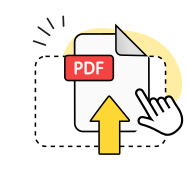
Upload your SVG
Drag & drop your vector graphic, or select it from your device.
Wait a few seconds
We'll automatically convert SVG to PDF file format.
Get your PDF
Download your new PDF document to your device.
Explore more OnlyDoc tools


 Expert conversion tools
 Easy e-signatureAI-powered tools
Turn document text into other languages in just a few seconds.

Reduce file size while keeping text and visuals clear.

Recognize text to make scanned files searchable.
Compress file size to 100KB keeping text and visuals clear.
Why choose our SVG to PDF converter
Fast results
SVG to PDF conversion takes seconds, even for complex vector graphics with multiple layers and paths.
Format integrity

Your paths, curves, and shapes look exactly as designed. Convert SVG file to PDF without losing quality.
Fonts preserved
Fonts and labels in your vector image render clearly, keeping your digital designs readable at any size.
Simple workflow

A clear design that guides you through the process without any guesswork or confusion along the way.
Full compatibility

Use the SVG to PDF converter on any device or OS, from Mac and Windows to iPhone and Android.
Secure processing

Your files are protected by industry-standard security throughout upload, processing, and download.
Convert SVG to PDF free of charge
Frequently asked questions
What is SVG?
SVG stands for Scalable Vector Graphics. Unlike raster images like JPG or PNG, vector files use mathematical paths instead of pixels. This means you can scale them to any size without losing resolution or sharpness. SVG is widely used for logos, icons, illustrations, and technical drawings. When you turn SVG into PDF, you preserve this scalability while gaining a format that's easier to print and share.
Is your SVG to PDF converter free of charge?
Yes, you can convert as many documents as you need without paying anything. The tool runs in your browser with no subscriptions, no hidden fees, and no account required.
Is my SVG file secure during conversion?
Yes, your files are encrypted from upload to download, and we use secure authentication to control access. OnlyDoc follows GDPR requirements and is recognized as a safe tool by Google Safe Browsing.
Will my vector graphics stay sharp after conversion?
Yes, everything stays sharp — clean lines, accurate colors, readable text. It doesn't matter if you're working with a basic icon or a detailed illustration, your PDF will look just as good as the original SVG.
Does the converter work on mobile devices?
Yes, convert SVG to PDF online free of charge on any device or operating system. The tool runs in your browser, so there's no platform or software to install. The interface automatically adapts to your screen, whether you're using a laptop, tablet, or phone.
Who is this SVG to PDF converter best suited for?
Graphic designers, illustrators, engineers, and anyone who works with vector graphics. If you need to share designs with clients, send files to print, or archive your work in a universal format, this free online tool makes SVG to PDF conversion quick and easy. It's also useful for web developers who need to export icons or logos for documentation.