OCR PDF
Transform scanned documents into editable & searchable PDFs. Copy text, find keywords, or export your content wherever you need it.
Supports PDF
Size up to 100 MB
How to make a PDF searchable
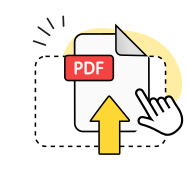
Upload your file
Drag & drop your scanned PDF or select it from your device.
Wait a few seconds
Our online PDF converter will automatically process your file.
Get the result
Done! Download your converted PDF to the device.
Explore more OnlyDoc tools


 Expert conversion tools
 Easy e-signatureAI-powered tools
Turn document text into other languages in just a few seconds.

Reduce file size while keeping text and visuals clear.

Recognize text to make scanned files searchable.
Compress file size to 100KB keeping text and visuals clear.
Why choose our free OCR PDF tool
Instant results

Our free online tool processes your scanned documents in seconds, delivering searchable text almost instantly.
Quality protection

Advanced OCR technology preserves your document structure and extracts text with high accuracy.
Text clarity

Even blurry scans become readable. The OCR converter turns low-quality images into clear, editable text.
Easy navigation

Make PDF searchable without complicated settings. Upload your file, wait a moment, and get the result.
Flexible use

Access our PDF OCR tool on Windows, Mac, iPhone, Android, or any platform with a browser.
Secure processing

Encryption secures your files at every OCR stage, including upload, conversion, and download.
Convert PDF to OCR-optimized text
Frequently asked questions
What is OCR?
OCR stands for optical character recognition. It’s built-in technology, not software you need to install, that turns images of text into real, machine-readable text you can search, copy, and edit. With OnlyDoc, you can convert PDF to OCR free of charge.
How does OCR work?
Our online OCR tool scans your document to recognize text by detecting patterns that match letters, numbers, and symbols. It analyzes each character and its surrounding context, then converts these visual patterns into digital text. This allows you to extract content from scanned pages, search for specific words, or edit the text in your document.
How to OCR a PDF document?
To OCR a PDF document, simply upload your scanned file to our free OCR PDF tool using the upload button or drag and drop it. Our technology will automatically recognize text in your scanned PDF documents and convert it into searchable, editable content. Once processing completes, download your file — ready to search, copy, or edit. No software to download or install, and you can convert PDF to OCR free of charge.
Does your PDF OCR tool work with low-resolution scans?
Yes, our PDF OCR online tool is designed to handle various image qualities, including low-resolution scans. While clearer images produce the best results, the technology can still recognize and extract text from less-than-perfect source files.
Can I run OCR on a multi-page PDF in one go?
Yes, our OCR converter automatically processes all pages in your document. Whether you have a two-page letter or a hundred-page archive, you can make PDF files searchable in a single upload.
When should I use the PDF OCR tool?
It's helpful when you have scanned PDF documents that you can't edit or search. Advanced OCR technology turns unreadable PDF text into a flexible, digital version. This is especially important for digitizing historical archives, processing contracts, or converting low-quality scans into clear, readable text.
Can I edit the text after using OCR?
Yes, once you convert your scanned file using our OCR solution, you can use OnlyDoc's PDF editor to modify the text, add annotations, or make any changes you need. You can also convert PDF to Word format for easier editing in Microsoft Word. The text becomes fully editable after processing.
Is there a file size limit for OCR processing?
You can convert PDFs to searchable PDFs, with files up to 100 MB in size, covering most scanned files and multi-page documents. Larger files may take a bit longer to process, but the tool handles them without issues.