Split PDF Online
Break large documents into smaller pieces. Choose exactly which pages you need for sharing or storage.
Supports PDF
Size up to 100 MB
How to split PDF pages
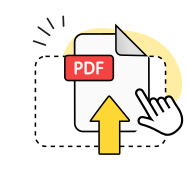
Upload your PDF file
Drag and drop your PDF document or click to browse and select the file you want to split.
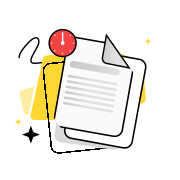
Choose split method
Select specific pages, page ranges, or extract all PDF pages into separate files.
Download split files
Save your new PDF files to your device once the splitting process is complete.
Explore more OnlyDoc tools


 Expert conversion tools
 Easy e-signatureAI-powered tools
Turn document text into other languages in just a few seconds.

Reduce file size while keeping text and visuals clear.

Recognize text to make scanned files searchable.
Compress file size to 100KB keeping text and visuals clear.
Everything you need to split PDF pages
Multiple file output

Split PDFs into multiple files or extract specific pages. Choose page ranges to separate PDF pages exactly how you need them.
Files stay private

Upload your PDF document securely. We delete all files from our servers within hours to protect your sensitive information.
Original quality kept

Split PDFs online without losing text clarity or image sharpness. Every separated page maintains the original formatting.
Works every time

Our PDF splitter handles large files reliably. Split PDF files online without errors, even with complex layouts and graphics.
Precise page control

Extract pages from PDF documents with accuracy. Split PDFs into individual pages or create new documents from specific page ranges.
No sign-up required

Use our PDF separator instantly. Split your PDF online without creating accounts or installing software on any device.
Split PDF free of charge
Frequently asked questions
What is a PDF splitter tool?
A PDF splitter tool is an online application that breaks down large PDF documents into smaller, more manageable files. Our tool allows you to extract specific pages or page ranges from your original document and save them as separate PDF files. You can split a single PDF into multiple documents based on your needs, whether you want individual pages or groups of pages. This functionality is particularly useful for sharing specific sections of lengthy reports, extracting important pages from contracts, or organizing large documents into smaller, focused files for easier distribution and storage.
Are my files deleted after processing?
Yes, your files are automatically deleted from our servers after processing is complete. We prioritize your privacy and data security by implementing a strict file retention policy. Once you split your PDF document and download the resulting files, all uploaded content is permanently removed from our system within a short timeframe. This ensures that your sensitive documents, whether they contain personal information, business data, or confidential materials, remain secure and are not stored on our servers. You can use our PDF splitter with confidence knowing your documents are handled with the highest level of privacy protection.
Can I split scanned PDFs?
Yes, our tool can split scanned PDF documents just like any other PDF file. Scanned PDFs, which are essentially image-based documents created from physical papers or photos, can be processed and divided into separate files using our online PDF splitter. The tool maintains the original image quality of your scanned pages throughout the splitting process. Whether your scanned PDF contains handwritten notes, printed text, diagrams, or photographs, you can extract specific pages or create multiple smaller documents from the original file. This feature is especially helpful for organizing scanned paperwork, separating different sections of scanned books, or extracting individual forms from multi-page scanned documents.
Can I split PDFs on mobile without losing quality?
Yes, you can split PDF files on mobile devices while maintaining the original document quality. Our online tool is fully optimized for smartphones and tablets, allowing you to upload, process, and download split PDF files directly from your mobile browser. The splitting process preserves the resolution, formatting, and visual elements of your original PDF pages. Whether you're using an iPhone, Android device, or tablet, the tool delivers the same high-quality results as desktop processing. Mobile users can easily drag and drop files, select page ranges, and download individual split files without any quality degradation or formatting issues affecting their documents.
Does the tool support different languages?
Yes, our PDF splitter supports documents in multiple languages and character sets. The tool can process PDF files containing text in various languages including English, Spanish, French, German, Chinese, Japanese, Arabic, and many others. Whether your PDF document contains Latin characters, Cyrillic script, Asian characters, or right-to-left text, the splitting process preserves all text formatting and character encoding. This multilingual support ensures that international users can split PDF documents without worrying about text corruption, missing characters, or formatting issues. The tool maintains the integrity of all language-specific elements throughout the entire splitting process.
How do I split a PDF into multiple files?
To split PDFs into multiple files, start by uploading your document to our online tool using the drag and drop feature. Once uploaded, you can choose to separate PDF pages by selecting specific page ranges or extracting individual pages. The tool allows you to create multiple PDF files from a single source document by specifying which pages you want in each new file. After selecting your desired page ranges, click the split button to process your document. The tool will generate separate PDF files based on your selections, which you can then download individually or as a complete set of split files.
Is it free to split PDF online?
Yes, you can split PDFs online free of charge using our tool without any subscription fees or hidden charges. Our free PDF splitter provides full access to all splitting features, allowing you to separate PDF pages, extract specific sections, and create multiple files from your original document. There are no watermarks added to your split files, and you can process documents without creating an account. The free service includes support for various file sizes and multiple splitting options, making it a comprehensive solution for users who need to divide their PDF documents without paying for premium software or services.
What is the maximum file size I can split?
Our PDF separator can handle large files up to several hundred megabytes in size, accommodating most standard PDF documents including lengthy reports, books, and image-heavy files. The exact maximum file size may vary based on server capacity and processing requirements, but typical documents process smoothly regardless of their complexity. If you encounter issues with extremely large files, consider splitting them into smaller sections first or compressing the original document before uploading. The tool efficiently processes both text-based and image-heavy PDFs, maintaining quality while managing file size constraints to ensure reliable splitting performance for all users.
Can I choose specific pages to extract?
Yes, you can select specific pages to extract when you split PDF documents files using our tool. The interface allows you to specify exact page numbers, page ranges, or individual pages that you want to separate from the original document. You can extract single pages, multiple non-consecutive pages, or continuous page ranges based on your needs. This flexibility lets you create targeted PDF files containing only the content you need, whether it's extracting a single important page, combining several scattered pages, or separating different sections of a larger document into organized, smaller files.
Will splitting affect the original PDF quality?
No, splitting will not affect the original PDF quality or reduce the resolution of your document pages. Our PDF split tool maintains the exact formatting, image resolution, text clarity, and visual elements of your source file throughout the entire process. Each split file retains the same quality as the original document, ensuring that text remains crisp, images stay sharp, and all formatting elements are preserved. Whether your PDF contains high-resolution images, detailed graphics, or complex layouts, the splitting process creates new files that are identical in quality to the corresponding pages in your original document.