PDF to PowerPoint Converter
Create editable slides from PDF documents, ready to customise, present, and share.
Supports PDF
Size up to 100 MB
How to convert PDF to PowerPoint
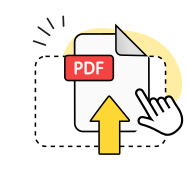
Upload your PDF
Select a PDF file or drag and drop it into the upload area to start.
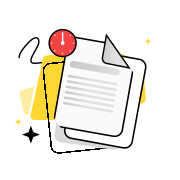
Convert to slides
Our tool processes each page and maps the content into editable PowerPoint slides.
Download and edit
Save the PowerPoint file to your device and open it to edit, rearrange, and present.
Explore more OnlyDoc tools


 Expert conversion tools
 Easy e-signatureAI-powered tools
Turn document text into other languages in just a few seconds.

Reduce file size while keeping text and visuals clear.

Recognize text to make scanned files searchable.
Compress file size to 100KB keeping text and visuals clear.
Why choose our PDF to PPT converter
Fully editable output

Your PDF content is mapped to a PowerPoint presentation, with text boxes and images you can edit.
Secure handling

All file transfers are encrypted in transit. Our platform is GDPR-compliant and verified by Google Safe Browsing.
Text and fonts included
Body copy, headings, and font information from your PDF are extracted into text boxes you can update right away.
Visuals as PNG graphics

Images from your PDF are carried across as PNG graphics, placed into the corresponding presentation slides.
No software required

Convert PDF to PPTX free of charge using our online tool on any device without installing any software.
Free, no limits

Use our PDF to PowerPoint converter free of charge as many times as you need. No account required.
Convert PDF to PowerPoint free of charge
Frequently asked questions
What is PDF to PPTX conversion?
PDF is a fixed-layout format designed for consistent rendering: the content is locked and difficult to edit. PPTX is Microsoft's open XML format for PowerPoint, where content is stored as individual slides with editable text, images, and shapes. Our free PDF to PPTX converter reads the structure of your document and maps it into a modifiable presentation you can update freely. Once converted, you can open the result in PowerPoint and edit each element: update copy, swap images, apply a new template, or restructure sections entirely. This is the standard approach when you receive a report or proposal as a locked document and need to rework it into a presentation.
When should I convert PDFs to PowerPoint instead of editing the PDF directly?
Editing a PDF directly requires specialised software and works best for minor corrections, such as fixing a typo or updating a date. Structural changes, including rearranging content, replacing images, or applying a design template, are difficult or impossible within the format's constraints. Converting to PowerPoint gives you a fully modifiable file with speaker notes and design tools at your disposal. This workflow is particularly useful when you need to convert PDFs to PowerPoint slides for a quarterly review, a client pitch, or an academic presentation. Financial summaries, research papers, and project proposals are the most common conversion candidates.
What is the difference between PPTX and PPT?
PPT is the older binary format used by Microsoft Office up to version 2003. PPTX is the open XML format introduced with Office 2007 and used by all current versions of PowerPoint, Google Slides, and PowerPoint Online. PPTX files are smaller, better supported across platforms, and more reliably handled by conversion tools. Our free online PDF to PPT converter produces PPTX output by default, so the result opens in all of these applications without compatibility issues. If a colleague specifically needs the older binary format, save as PPT from within PowerPoint after opening the converted file. When you convert PDF to PPT, the content and editability are identical regardless of which version you save.
Can I convert PDF files with images and tables to PPTX?
Yes. Images embedded in the source document are extracted and turned into graphics, maintaining their original position and scale. Tables and structured data are interpreted and reproduced as editable elements, though complex layouts may simplify depending on how the original was built. Text and images remain separate in the output, so each element can be moved, resized, or replaced independently. For the most accurate results, use digitally created source files rather than documents scanned from paper. Mixed-content materials such as annual reports, product sheets, and research papers convert reliably when the source has a clear digital text layer.
Can I convert scanned PDFs to PowerPoint?
Yes, with some limitations. A scanned document contains images of pages rather than machine-readable text, so the content must be interpreted before it can become editable. Our converter applies optical character recognition (OCR) to extract text from each page and place it into editable slides. OCR accuracy depends on scan quality: clear, high-contrast scans at 300 DPI or above produce reliable results, while blurred or skewed images may need manual correction. Graphics from the original scan are carried across as well. Proofread the extracted text once the conversion completes, especially for documents with handwriting, stamps, or unusual typefaces.
Can I convert a PDF to PPTX on my phone or tablet?
Yes. Our converter works in any modern browser on iOS, Android, Windows, and macOS. Upload from your phone and download the resulting file directly to your device. No app installation is required. The conversion runs on our servers, so it places no processing load on your hardware and produces the same output quality as on a desktop.
What can I do with the converted PowerPoint file?
Once the conversion completes, you have a fully editable presentation. Open it in Microsoft PowerPoint, Google Slides, or PowerPoint Online to edit text, update figures, rearrange slides, apply your company template, or add speaker notes. You can animate individual elements, embed audio and video, collaborate with colleagues in real time, and export back to a fixed-layout format when you are ready to distribute. Turn PDF into PowerPoint to get a file you can build on, customise, and present immediately.