Order Form Template
Use template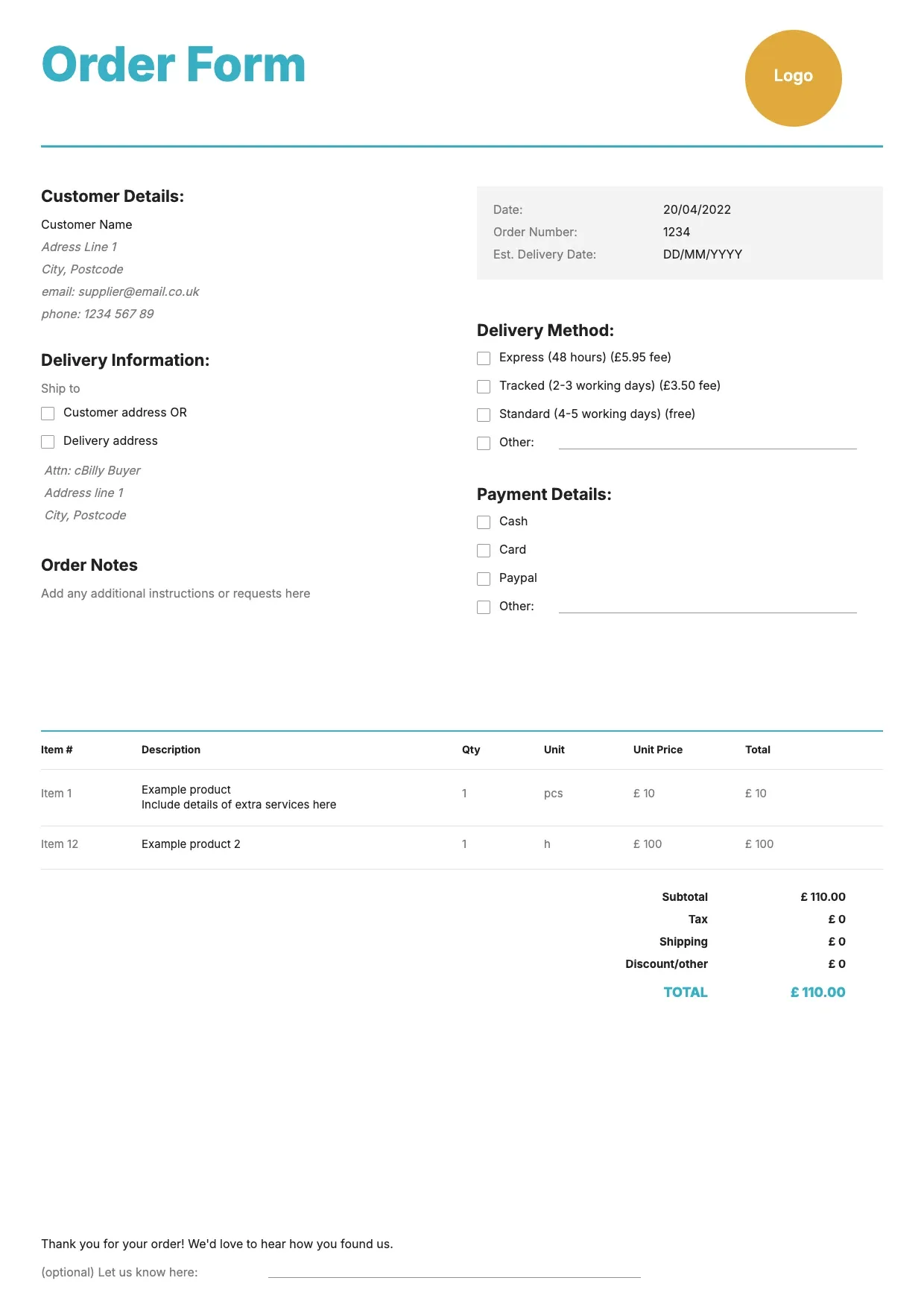
About Order Form Template
Businesses that take orders need a clear way to record what a customer wants, in what quantity, and at what price. An order form gives buyer and seller a shared record, preventing mix-ups before an order is fulfilled.
Our order form template covers buyer details, items, quantities, pricing, totals, and payment terms, with space for branding. Fill it in through the OnlyDoc editor and reuse it for every new order.
Frequently asked questions
What is an order form template?
An order form is a document businesses use to capture what a customer wants to buy, including items, quantities, and pricing. The template turns that into a reusable format with the fields already in place, which saves effort and keeps every order consistent. You fill in the details and download the finished document.
When should you use an order form template?
Use it whenever a customer places an order, whether for products, supplies, or services. It works for a single purchase or for recurring orders from the same buyer. You open it, update the items and quantities, and download a clean, finished version each time an order comes in.
What should be included in an order form template?
At minimum it covers buyer and seller details, the items ordered, quantities, unit prices, totals, and payment or delivery terms. Each part is laid out for you, so you focus on the order itself rather than the formatting, and the finished order form stays clear and complete.
Who can use an order form template?
Retailers, wholesalers, manufacturers, and service providers all benefit from it. Whether you process a handful of orders or hundreds, the template saves time and keeps every record consistent. Because it is easy to adapt, people with no experience can produce a polished order form just as confidently as regular users.
What should an order form include for accuracy?
An accurate order form should list exact item names, SKUs if relevant, quantities, prices, and any discounts, plus delivery and payment terms. Clear details reduce disputes later. Our template covers each line, so both buyer and seller agree on what was ordered before fulfillment begins.
Can an order form template handle bulk or repeat orders?
Yes. You can list multiple items with quantities and unit prices, making it suitable for bulk purchases or standing orders from repeat customers. Consistent formatting makes it easy to compare past orders. Our template lets you adjust items and totals in the OnlyDoc editor for each new order without rebuilding it.
What formats can I download an order form template in?
Once you have finished editing in the OnlyDoc editor, you can export your order form as PDF, DOC, XLSX, PPTX, JPG, or PNG. That gives you a file to email, a printable copy, and an editable version you can update later if order details change.