Repair Order Template
Use template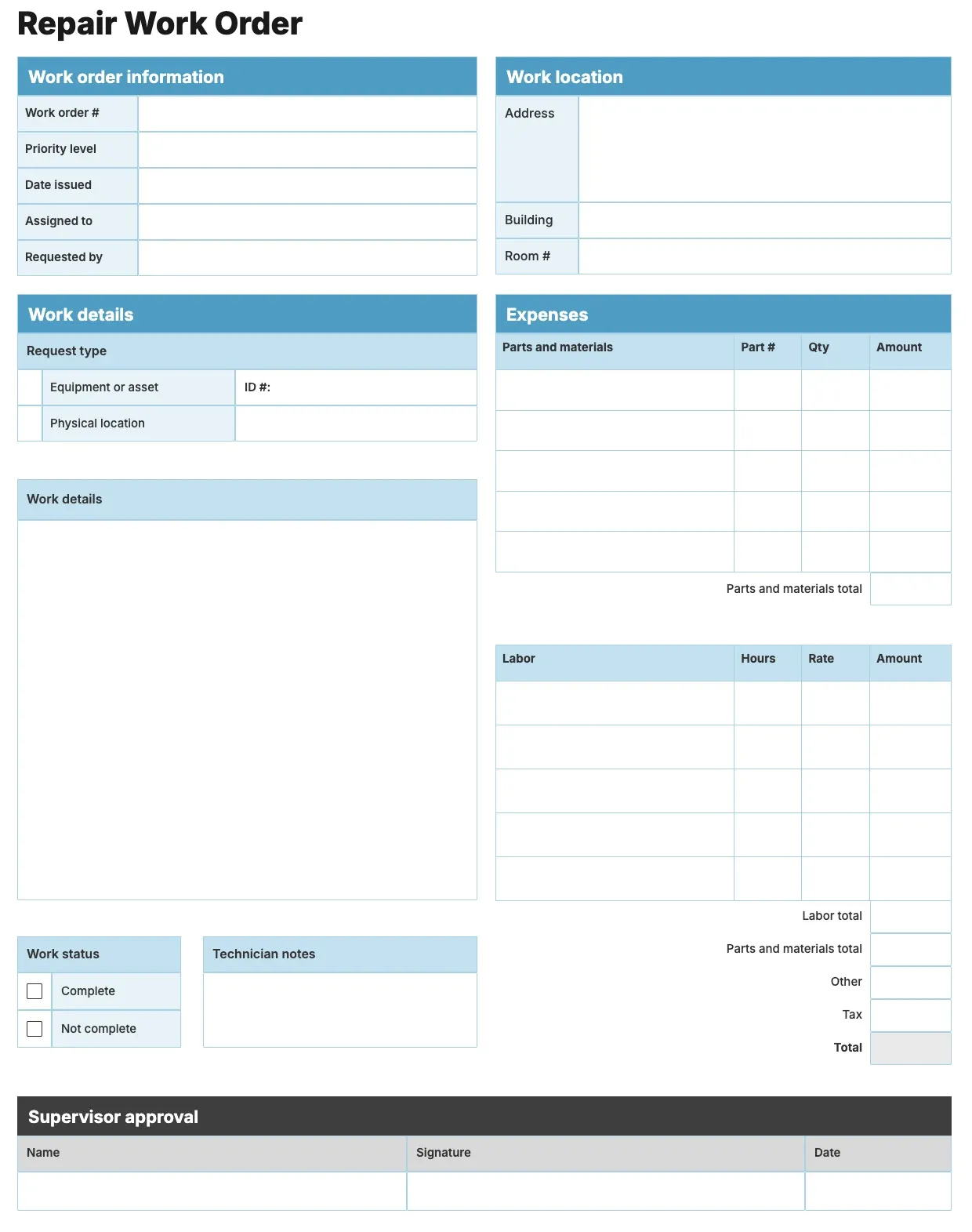
About Repair Order Template
A repair shop needs a clear paper trail for every job that comes through the door. A repair order records the item, the reported issue, the parts and labor involved, and the total cost, so both the shop and the customer know exactly what was done.
Our repair order template covers customer details, item description, diagnosis, parts, labor, and total charges, with space for your branding. Fill it in through the OnlyDoc editor and reuse it for every repair job you take on.
Frequently asked questions
What is a repair order template?
A repair order is a document repair shops use to record the item, the issue, the work performed, and the charges for a job. The template turns that into a reusable format with the headings and prompts already in place, saving effort and keeping records consistent across every repair you handle.
When should you use a repair order template?
Use it whenever a customer brings in an item for diagnosis or repair. Whether it is a single job or a steady stream of work, the template fits both. You open it, fill in the details for that repair, and download a finished copy for your records and the customer.
What should be included in a repair order template?
At minimum it covers customer and item details, the reported problem, diagnosis notes, parts used, labor charges, and the total cost. Each part is laid out for you, so you focus on the repair itself rather than the formatting, and the finished repair order stays clear and complete.
Who can use a repair order template?
Auto shops, appliance repair technicians, electronics repair businesses, and general contractors benefit most from it. Whether you write one occasionally or every day, the template saves time and keeps records consistent. Because it is easy to adapt, anyone can produce a professional repair order without building a form from scratch.
Does a repair order need a customer signature?
Many shops include a signature line for authorization before work begins, especially when costs may change once the item is inspected. It protects both sides by confirming the customer approved the estimate. Our template leaves space for this, so you can add it when your repair process calls for it.
How is a repair order different from an invoice?
A repair order documents the diagnosis, parts, and labor as the work happens, while an invoice bills the customer once the job is finished. Many shops use the repair order as the working record and convert it into an invoice for payment. Our template supports both roles depending on how you use it.
What formats can I download a repair order template in?
Once you have finished editing in the OnlyDoc editor, you can export your repair order as PDF, DOC, XLSX, PPTX, JPG, or PNG. That gives you a file to email, a printable copy for the shop counter, and an editable version you can update later as the job progresses.