Notary Acknowledgement Template
Use template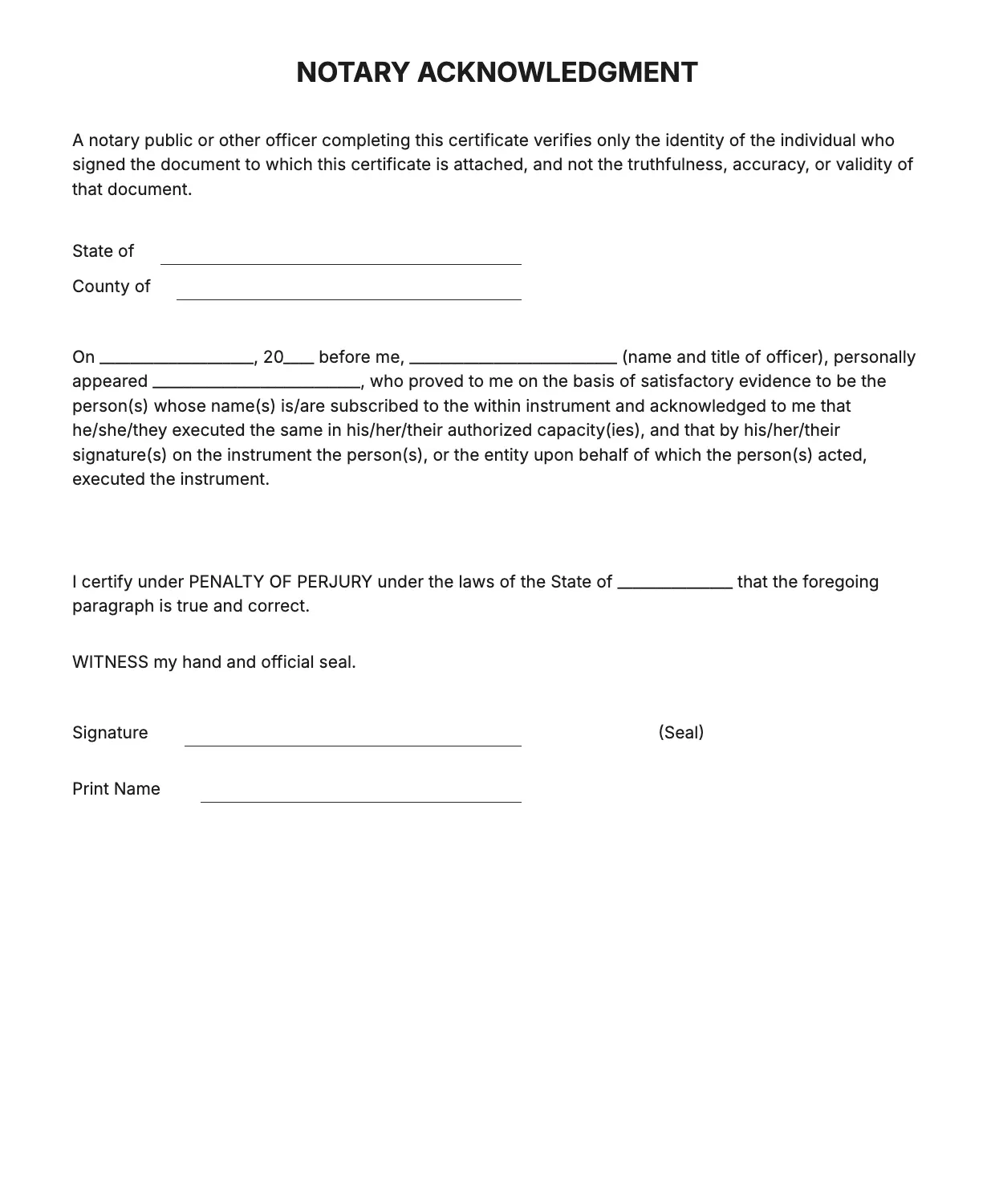
About Notary Acknowledgement Template
A notary acknowledgement confirms that a signer appeared before a notary and identified themselves willingly. Lenders, courts, and government offices often require one attached to contracts, deeds, or powers of attorney before accepting the document as valid.
Our template covers the signer's name, the date, the county and state, the notary statement, and space for a seal and signature. Fill it in through the OnlyDoc editor and download a clean, ready-to-sign version.
Frequently asked questions
What is a notary acknowledgement template?
A notary acknowledgement is a statement confirming that a signer appeared before a notary in person and acknowledged signing a document. The template gives you the standard wording and layout already in place, so you avoid drafting the legal language yourself and simply fill in the specific names, dates, and location.
When should you use a notary acknowledgement template?
Use it whenever a document, such as a deed, power of attorney, or contract, needs a notary to confirm the signer's identity and appearance. It works for one-off signings or recurring paperwork. You update the details each time and download a finished version ready for the notary to complete.
What should be included in a notary acknowledgement template?
At minimum it needs the state and county, the signer's name, the date of the appearance, a statement confirming identification, and space for the notary's signature and seal. Each field is laid out for you, so the finished notary acknowledgement stays complete and meets standard formatting expectations.
Who can use a notary acknowledgement template?
Notaries public, attorneys, real estate professionals, and anyone preparing a document for notarization can use it. Because the wording follows a standard format, people unfamiliar with legal language can still fill it in correctly, while notaries save time not having to draft the acknowledgement text themselves for every signing.
Does a notary acknowledgement require the signer's ID?
Yes, the notary typically records how the signer's identity was confirmed, such as a driver's license or passport. This detail supports the acknowledgement's validity. Our template includes a line for identification method, so the notary can note it directly during the appointment without adding extra text.
Is a notary acknowledgement the same as a jurat?
No. An acknowledgement confirms the signer appeared and identified themselves, while a jurat also requires the signer to swear the contents are true. They use different wording. Our template follows the acknowledgement format, so check which one your document requires before using it.
What formats can I download a notary acknowledgement template in?
Once you have finished editing in the OnlyDoc editor, you can export your notary acknowledgement as PDF, DOC, XLSX, PPTX, JPG, or PNG. That gives you a printable copy for the notary appointment and an editable version you can reuse for future documents.