Eisenhower Matrix Template
Use template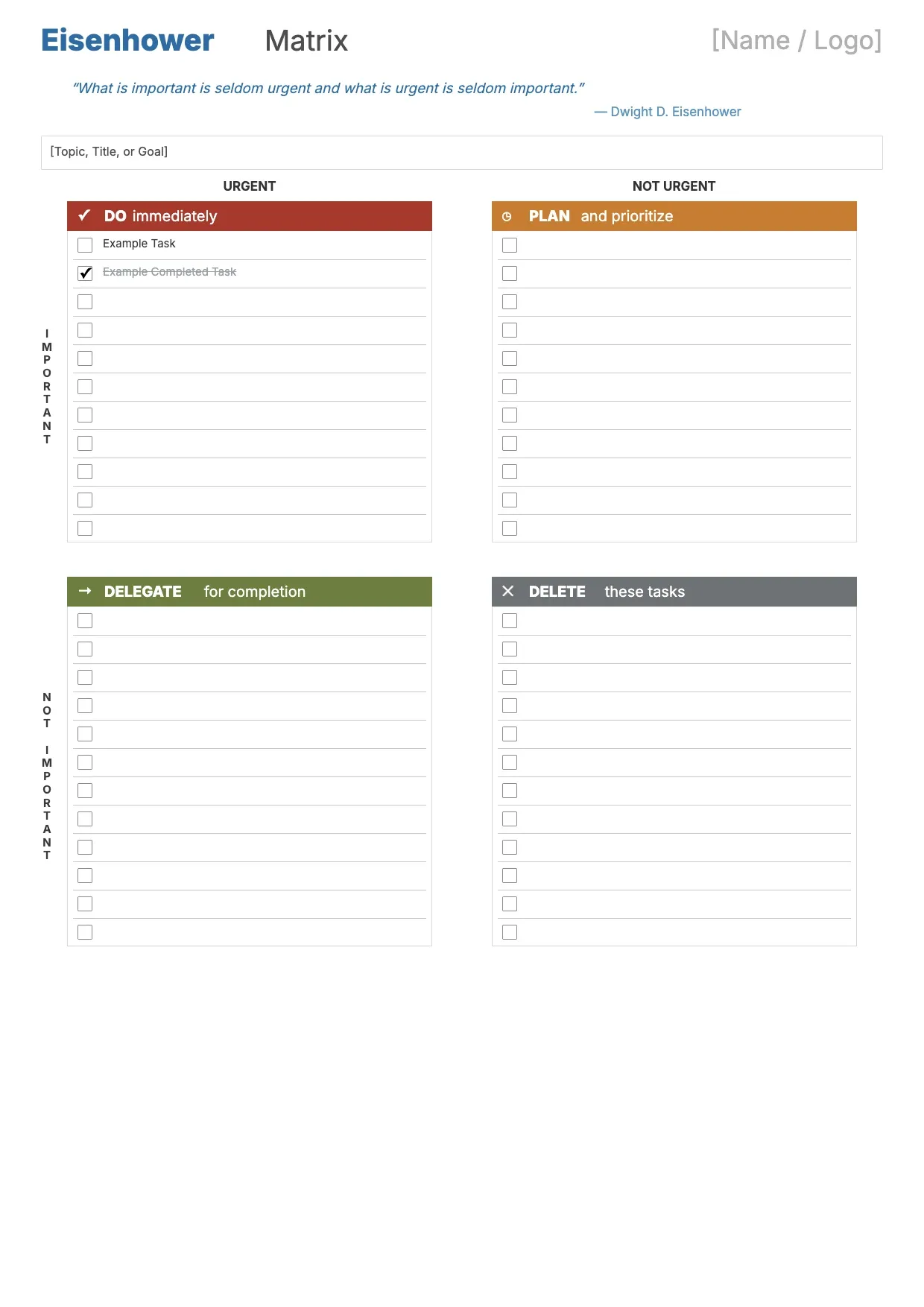
About Eisenhower Matrix Template
Busy schedules make it hard to know what deserves attention first. The Eisenhower matrix sorts tasks into four quadrants based on urgency and importance, helping you see at a glance what to do now, plan later, delegate, or drop.
Our template gives you the four labeled quadrants, space to list tasks under each, and room for a date or project name. Fill it in through the OnlyDoc editor and download it whenever your priorities shift.
Frequently asked questions
What is an Eisenhower matrix template?
An Eisenhower matrix is a grid that sorts tasks by urgency and importance into four quadrants. The template turns that concept into a ready-made layout with the quadrants already labeled, so you don't have to build the structure yourself. You simply add your tasks and download the finished page.
When should you use an Eisenhower matrix template?
Use it whenever a task list feels overwhelming and you need a clear way to decide what comes first. It works well for daily planning, project kickoffs, or weekly reviews. Open it, sort your tasks into the four quadrants, and download a clean version to guide your next steps.
What should be included in an Eisenhower matrix template?
At minimum it needs the four quadrants: urgent and important, important but not urgent, urgent but not important, and neither. Each quadrant should have space for several tasks. Our template lays these out clearly, so you focus on sorting your work instead of designing the grid.
Who can use an Eisenhower matrix template?
Students, managers, freelancers, and anyone juggling multiple responsibilities can benefit from it. Whether you plan daily or weekly, the template adapts to either rhythm. Because the quadrants are already defined, people new to the method can use it just as easily as someone who prioritizes tasks every day.
How do you decide which quadrant a task belongs in?
Ask whether the task has a deadline pressing soon and whether it affects a meaningful goal. Tasks with both traits go in the urgent and important quadrant; tasks with neither often get delegated or dropped. Our template's labels make this decision easier by keeping the four categories visible while you sort.
Can the Eisenhower matrix template be used for team planning?
Yes. Teams can fill it in together during a planning meeting to agree on shared priorities and avoid duplicated effort. Listing tasks by quadrant makes it easier to delegate the urgent but less important items. Our template supports this by giving everyone a shared, easy-to-read reference for the week ahead.
What formats can I download an Eisenhower matrix template in?
Once you have finished editing in the OnlyDoc editor, you can export your Eisenhower matrix as PDF, DOC, XLSX, PPTX, JPG, or PNG. That gives you a file to print, a version to share digitally, and an editable copy you can update as your task list changes.