Time Boxing Template
Use template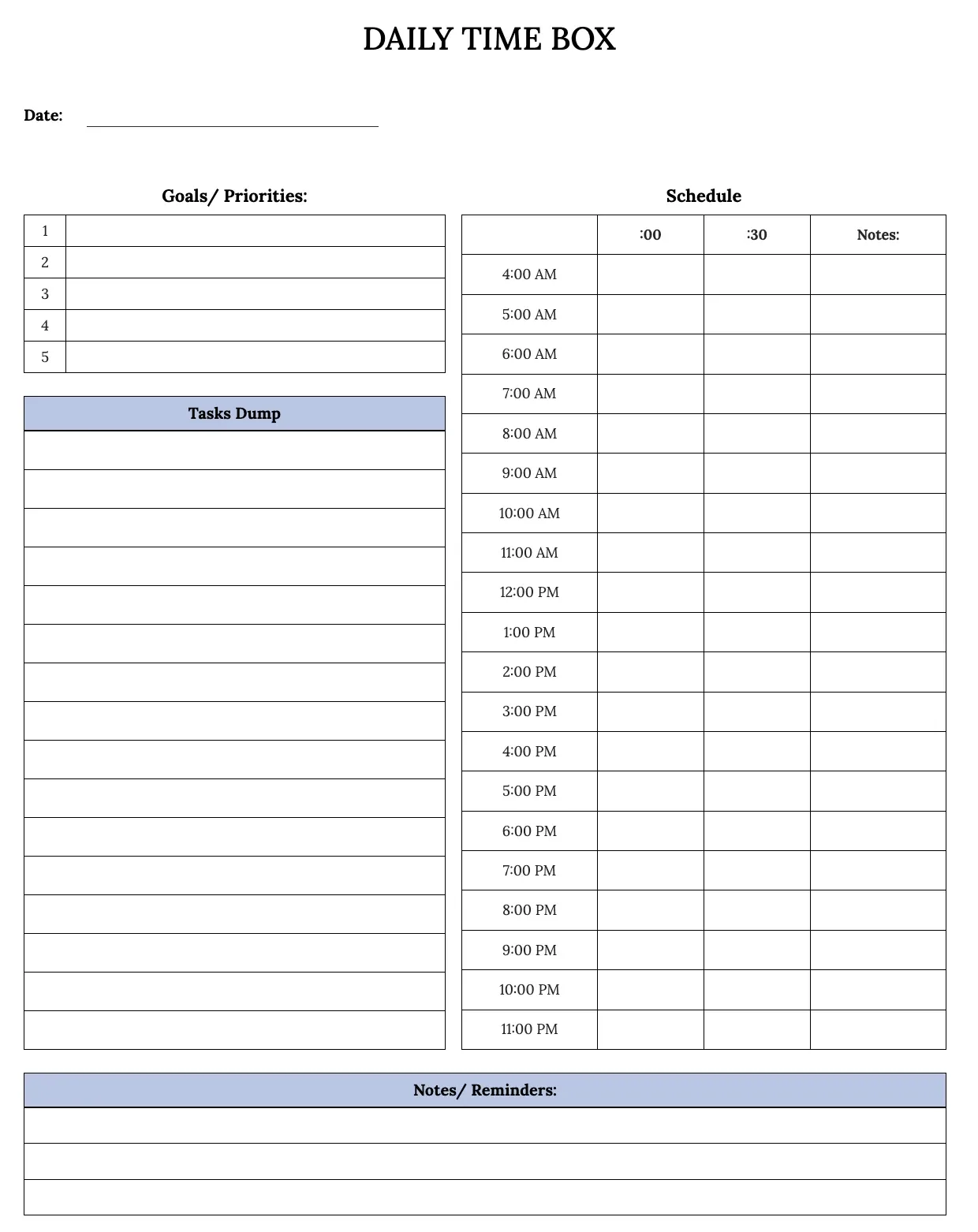
About Time Boxing Template
Time boxing assigns a fixed block of time to each task, so your day has structure instead of an open-ended to-do list. A time boxing template turns that method into a ready layout, making it easier to plan focused work and avoid tasks stretching longer than they should.
Our time boxing template covers time slots, tasks, priorities, and notes, with space to adjust for daily or weekly planning. Fill it in through the OnlyDoc editor and download a version you can reuse every week.
Frequently asked questions
What is a time boxing template?
A time boxing template is a ready layout for the time boxing method, where each task gets a fixed block of time on your schedule. It saves you from building a grid from scratch, giving you slots and prompts already in place so you can plan a focused day quickly.
When should you use a time boxing template?
Use it whenever you want to plan a day or week around fixed blocks of time rather than an open task list. It suits busy workdays, study sessions, or project sprints. You fill in your tasks and time slots, then download a clean, finished plan for the period ahead.
What should be included in a time boxing template?
At minimum it needs time slots, task names, priority levels, and space for notes or breaks. Each part is laid out for you, so you focus on deciding what goes where rather than formatting a grid, and the finished plan stays clear enough to follow through the day.
Who can use a time boxing template?
Students, freelancers, project managers, and anyone juggling multiple tasks benefit from it. Whether you plan daily or weekly, the template saves setup time and keeps your schedule consistent. Because it is easy to adapt, first-time users can build a working time boxing plan just as confidently as regular users.
How is time boxing different from a regular schedule?
A regular schedule often just lists tasks by time, while time boxing sets a strict limit for each one and expects you to stop when the block ends. This keeps work from expanding to fill your whole day. Our template makes those limits visible, so you stay aware of pace throughout your session.
Can a time boxing template help with procrastination?
Yes. Assigning a short, fixed block to a task makes it feel more approachable than an open-ended commitment, which can reduce the urge to delay starting. Seeing the whole day mapped out in our template also creates a visual reminder of what is next, keeping momentum going between tasks.
What formats can I download a time boxing template in?
Once you have finished editing in the OnlyDoc editor, you can export your time boxing template as PDF, DOC, XLSX, PPTX, JPG, or PNG. That gives you a printable copy for your desk, a digital file to share, and an editable version to update as your schedule changes.