IEP At A Glance Template
Use template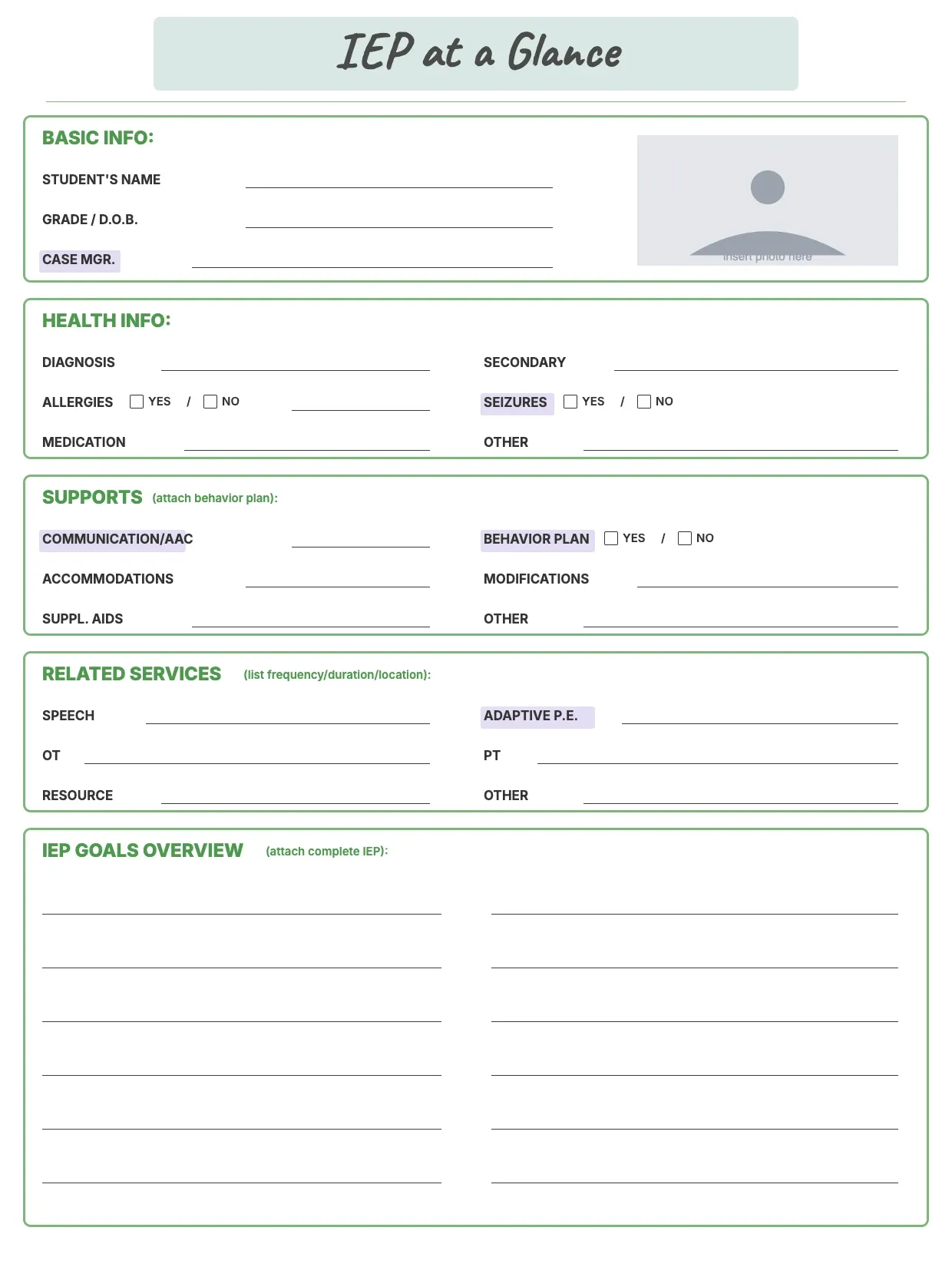
About IEP At A Glance Template
Teachers, substitutes, and support staff need a fast way to understand a student's needs without reading a full IEP. An IEP at a glance summary condenses goals, accommodations, and supports into one page, so anyone working with the student can act on it quickly.
Our template covers student details, goals, accommodations, triggers, and preferred strategies, with space to note who to contact. Fill it in through the OnlyDoc editor and share a clear, quick-reference summary with every teacher involved.
Frequently asked questions
What is an IEP at a glance template?
An IEP at a glance summary condenses a student's full individualized education program into a short, easy-to-scan sheet. The template turns that into a reusable layout with headings and prompts already in place, so you fill in the specifics and download a clear summary instead of writing one from scratch.
When should you use an IEP at a glance template?
Use it at the start of a school year, when a student moves to a new class, or whenever a substitute or specialist needs quick context. It also helps during meetings when you want a fast reference instead of the full document. Update it whenever goals or accommodations change.
What should be included in an IEP at a glance template?
At minimum it covers the student's name, grade, disability category, key goals, accommodations, modifications, and any behavior supports or triggers. Contact details for the case manager help too. Each section is laid out for you, so the finished summary stays organized and easy to read at a glance.
Who can use an IEP at a glance template?
Special education teachers, general education teachers, paraprofessionals, and substitute teachers all benefit from it. Parents also find it useful for keeping track of what supports their child receives. Because it is easy to adapt, anyone working with the student can produce a clear, accurate summary.
Should an IEP at a glance include behavior supports?
Yes, if the student has a behavior plan or specific triggers, note them alongside academic goals. Listing calming strategies or warning signs helps staff respond consistently. Our template includes space for this, so behavior supports are not left out of the quick summary that staff rely on daily.
How often should an IEP at a glance be updated?
Update it whenever the full IEP changes, at the start of each school year, or when a student changes teachers or classrooms. Keeping the summary current means staff always work from accurate information. Our template makes edits quick, so you are not rebuilding the sheet from scratch each time.
What formats can I download an IEP at a glance template in?
Once you have finished editing in the OnlyDoc editor, you can export your IEP at a glance summary as PDF, DOC, XLSX, PPTX, JPG, or PNG. That gives you a file to email, a printable copy for a classroom binder, and an editable version you can update later in the year.