Quiz Template
Use template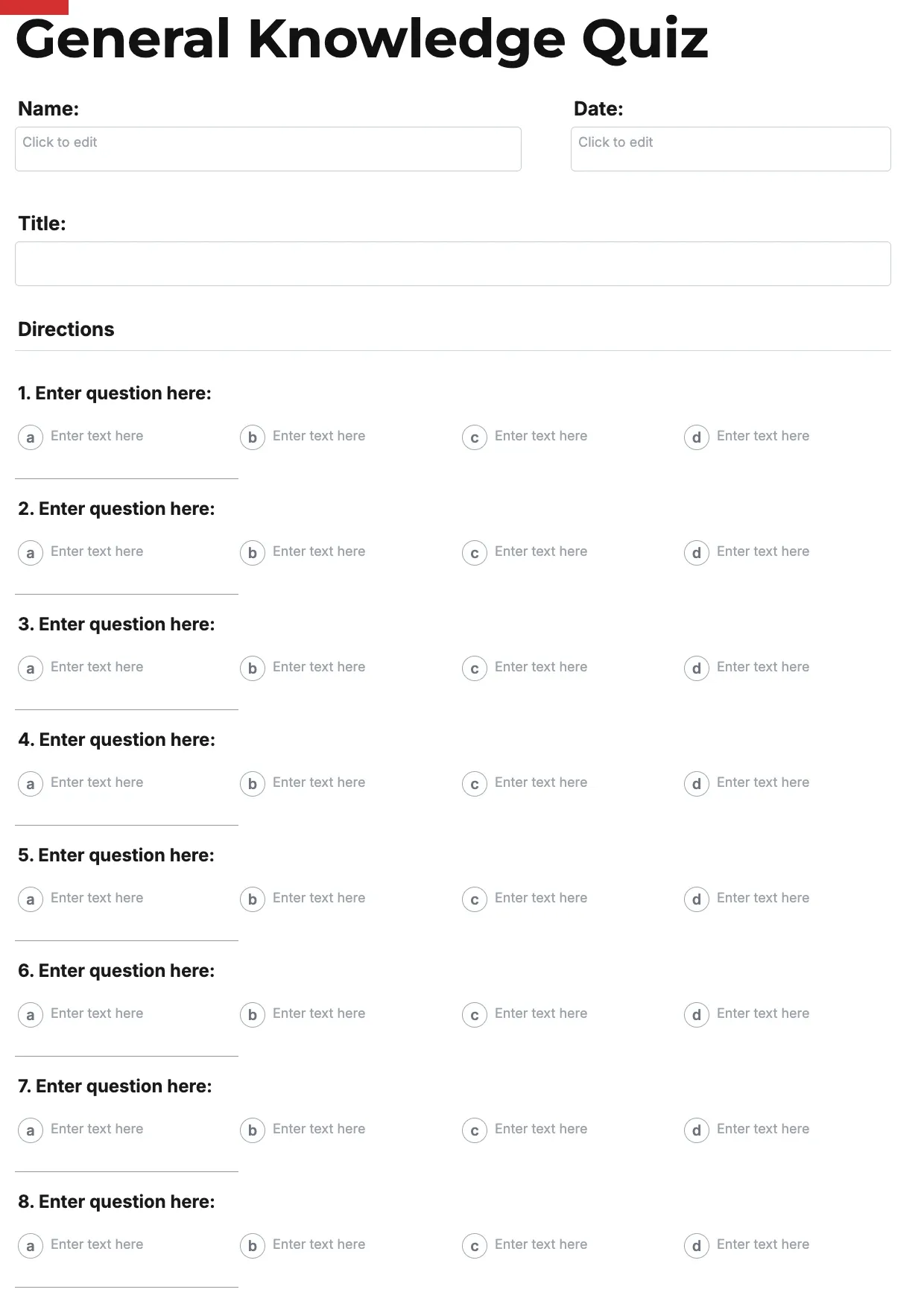
About Quiz Template
Teachers, trainers, and event hosts need a clear way to test knowledge or spark fun. A quiz gives structure to questions, choices, and scoring, so participants know exactly what to do and organizers can grade or tally results without confusion.
Our quiz template covers a title, instructions, numbered questions, answer choices, and a scoring section, with space for your branding. Fill it in through the OnlyDoc editor and download a ready-to-use quiz for class, training, or a party.
Frequently asked questions
What is a quiz template?
A quiz is a document used to test knowledge or entertain a group with structured questions. The template turns that into a reusable format with headings and prompts already in place, which saves effort and keeps the layout consistent. You personalize the questions and download the finished document.
When should you use a quiz template?
Use it whenever you need to test knowledge or run a fun activity, from classroom assessments to trivia nights. Whether it is a one-off need or something you build regularly, the template fits both. You open it, add your questions, and download a clean, finished version whenever you need it.
What should be included in a quiz template?
At minimum it covers a title, instructions, numbered questions, answer choices, and a section for scoring or an answer key. Each part is laid out for you, so you focus on the content rather than the formatting, and the finished quiz stays clear and complete.
Who can use a quiz template?
Teachers, trainers, event hosts, and quiz enthusiasts benefit most from it. Whether you create one occasionally or often, the template saves time and keeps the output consistent. Because it is easy to adapt, people with no experience can produce a polished quiz just as confidently as regular users.
How do you create a scoring key for a quiz?
List each question number alongside its correct answer, then assign points if some questions carry more weight than others. Our template includes a dedicated scoring section, so you can total results quickly and hand out grades or rankings without recalculating everything by hand each time.
Can a quiz template include multiple question types?
Yes. You can mix multiple choice, true or false, and short answer questions within the same quiz. Varying the format keeps participants engaged and tests different kinds of knowledge. Our template adapts easily in the OnlyDoc editor, so you can rearrange or swap question types as needed.
What formats can I download a quiz template in?
Once you have finished editing in the OnlyDoc editor, you can export your quiz as PDF, DOC, XLSX, PPTX, JPG, or PNG. That gives you a file to print, a version to share, and an editable copy you can update later if the questions change.