References Template
Use template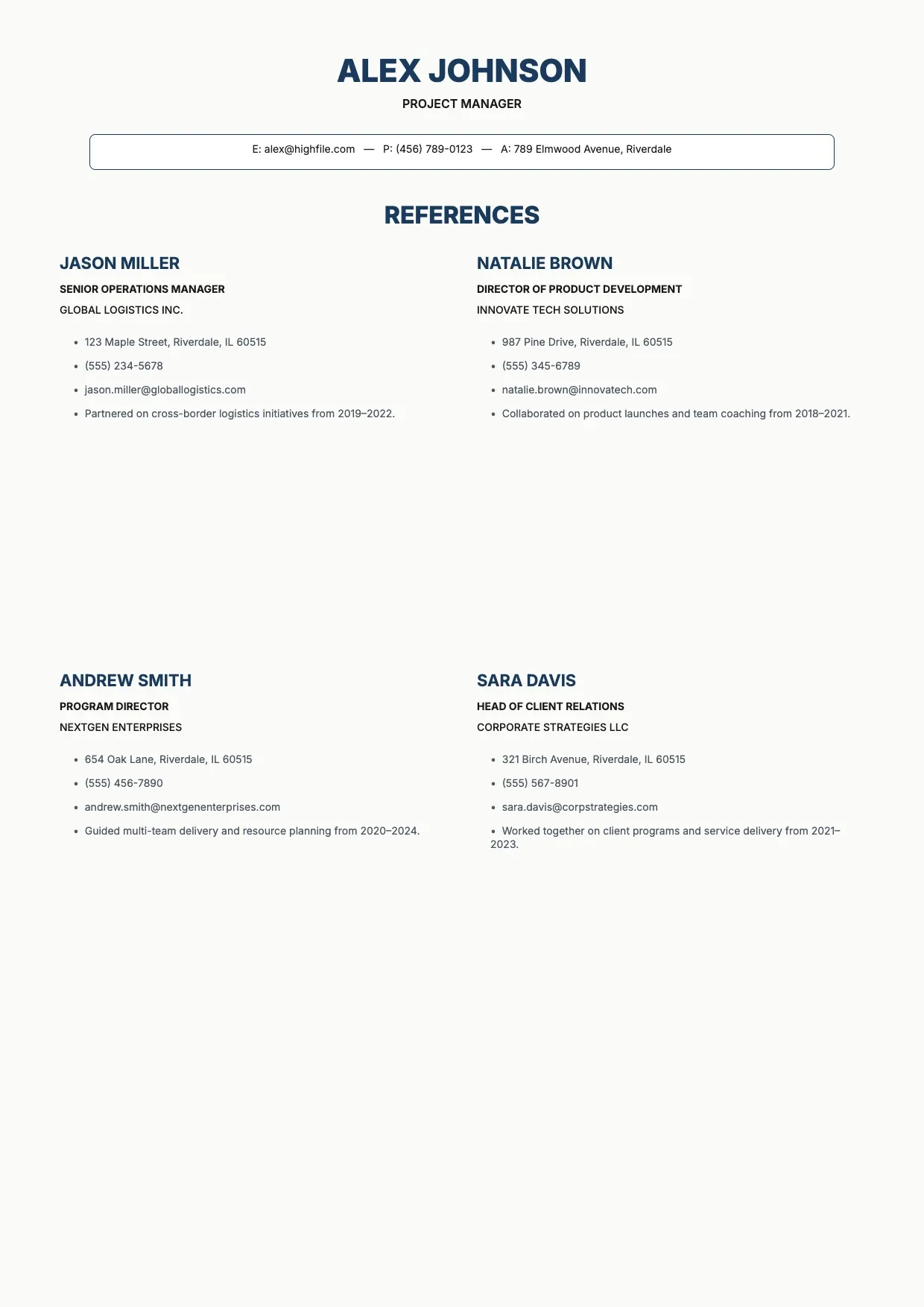
About References Template
When an employer asks for professional references, a scattered list of names and phone numbers looks careless. A references template presents each contact clearly, so hiring managers can reach the right people without chasing down details you forgot to include.
Our references template covers names, job titles, companies, phone numbers, emails, and how each person knows you, with space for your own header and branding. Fill it in through the OnlyDoc editor and download a polished list for every job application.
Frequently asked questions
What is a references template?
A references template is a reusable layout for listing the people who can vouch for your work, such as former managers or colleagues. It already has the headings and prompts in place, so you fill in names and contact details rather than building a list from scratch each time you apply.
When should you use a references template?
Use it whenever an employer requests references, whether during a job application, a promotion review, or a freelance pitch. You can keep one version ready and adjust it for each opportunity, so you always have a clean, current list on hand instead of assembling one at the last minute.
What should be included in a references template?
At minimum it should list each reference's name, job title, company, phone number, email, and how they know you. Some versions add a short note on the working relationship. Our template lays out each field, so the finished list reads clearly and gives employers everything they need to reach out.
Who can use a references template?
Job seekers, freelancers, and students applying for internships all benefit from it. Whether you update your list often for different roles or rarely need one, the template keeps the format consistent. Because it is easy to adapt, anyone can produce a professional reference list without starting from a blank page.
How many references should you include?
Most employers expect three to five references, ideally people who can speak directly to your work and character. Include a mix of supervisors and colleagues where possible. Our template gives you room for several entries, so you can adjust the count to match what a specific application requests.
Should you ask permission before listing someone as a reference?
Yes, always confirm with a person before adding them, so they are prepared if an employer calls or emails. This also lets you check their current contact details are correct. Our template makes it easy to update entries quickly once someone confirms they are willing to be listed.
What formats can I download a references template in?
Once you have finished editing in the OnlyDoc editor, you can export your references template as PDF, DOC, XLSX, PPTX, JPG, or PNG. That gives you a file to attach to applications, a printable copy, and an editable version you can update as your reference list changes.