Wedding Seating Chart Template
Use template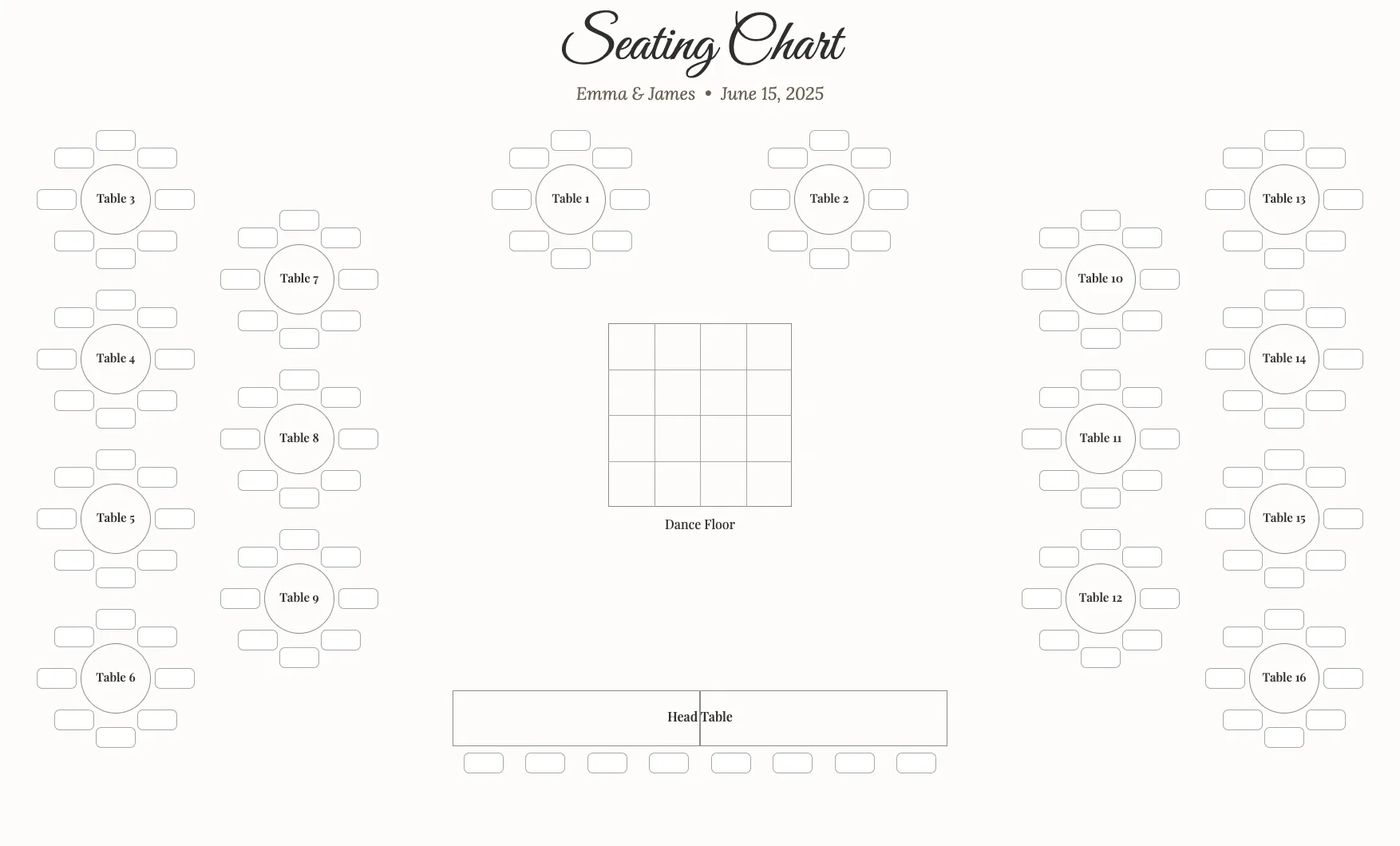
About Wedding Seating Chart Template
Guests want to know where they sit, and hosts want to avoid last-minute confusion. A wedding seating chart lays out every table and guest name, so people find their spot quickly and you avoid awkward shuffling once the reception begins.
Our wedding seating chart template covers table numbers, guest names, and seat counts, with space for your event details and design. Fill it in through the OnlyDoc editor and download a clean layout guests can follow at the entrance.
Frequently asked questions
What is a wedding seating chart template?
A wedding seating chart is a layout that assigns guests to tables for a reception. The template turns that into a reusable format with tables and name fields already in place, which saves effort and keeps the design consistent. You personalize the guest list and download the finished chart.
When should you use a wedding seating chart template?
Use it once your guest list and table arrangements are confirmed, usually a week or two before the wedding. It works for small gatherings or large receptions alike. You fill in the names, adjust tables as replies come in, and download a finished version to display.
What should be included in a wedding seating chart template?
At minimum it covers table numbers, guest names, and seat counts, arranged so guests can scan it quickly. Each part is laid out for you, so you focus on the guest list rather than the formatting, and the finished chart stays clear and easy to read at the entrance.
Who can use a wedding seating chart template?
Couples, wedding planners, and event coordinators benefit most from it. Whether you manage one wedding or several events a year, the template saves time and keeps the output consistent. Because it is easy to adapt, first-time planners can produce a polished seating chart just as confidently as professionals.
How do you organize tables on a seating chart?
Group guests by relationship, such as family, friends, or coworkers, and keep families with young children near exits. Balance table sizes so no one feels crowded or isolated. Our template lets you rearrange names easily in the OnlyDoc editor as your guest list and RSVPs change.
Should a seating chart include a welcome message?
Adding a short welcome note or the couple's names at the top gives the display a personal touch and confirms guests are at the right event. It is optional, but it fits naturally alongside the table list. Our template leaves space for this detail if you choose to include it.
What formats can I download a wedding seating chart template in?
Once you have finished editing in the OnlyDoc editor, you can export your wedding seating chart as PDF, DOC, XLSX, PPTX, JPG, or PNG. That gives you a file to print for display, a version to share digitally, and an editable copy to update if guest numbers change.