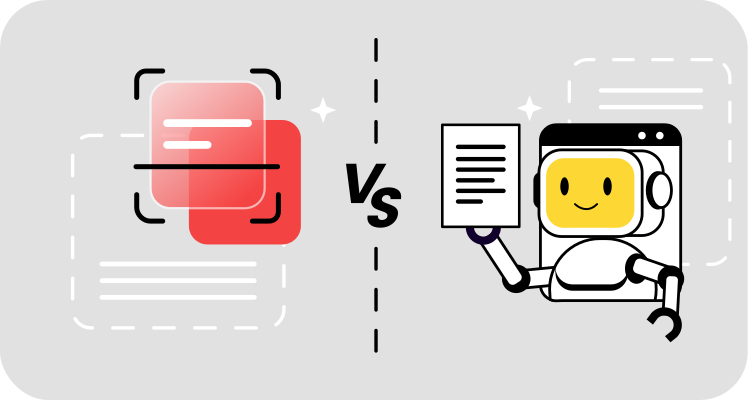
OCR vs. AI
Understanding when to deploy each technology requires examining how they perform across key dimensions. The choice between OCR and AI depends on your document characteristics, volume requirements, and accuracy needs.
OCR and AI comparison table
| Feature | Traditional OCR | AI-Enhanced OCR (IDP) |
|---|
| Best For | Standardized Forms | Complex/Varied Layouts |
| Setup | Requires Templates | "Zero-Shot" (No Setup) |
| Understanding | Zero (sees characters) | High (understands context) |
| Handling Noise | Fails on smudges/stains | Cleans up and "infers" text |
Why OCR still wins on speed and cost
For straightforward text extraction tasks, traditional OCR remains an efficient choice. Processing typed documents with consistent fonts and layouts requires no training data, no model updates, and no GPU acceleration. Organizations handling millions of clean scans — digitizing library archives, converting printed books, or processing standardized tax forms — achieve faster throughput and lower per-page costs with traditional systems.
The technology also offers predictable failure modes. When traditional OCR can't read a character due to poor image quality, it typically outputs a blank space or a placeholder symbol rather than guessing. This transparency helps quality control teams identify problem documents quickly. Budget constraints matter, too. Many traditional OCR tools operate offline without cloud API fees, making them attractive for high-volume workflows where document sensitivity or network bandwidth considerations exist.
Why AI wins on "messy" documents
Handwritten text exposes the clearest performance gap in the OCR vs. AI comparison. Traditional OCR accuracy on handwritten forms typically falls below 40%, while AI systems trained on diverse handwriting samples achieve 70-85% accuracy. The difference stems from AI's ability to learn character variations across thousands of writing styles rather than matching against a fixed template library.
Documents with skewed orientation, wrinkles, stains, or poor lighting similarly favor AI. When a scanned page contains smudges that partially obscure text, traditional OCR simply fails to read those characters. AI analyzes surrounding context to infer missing letters, essentially filling in the blanks based on what makes semantic sense. Complex documents with merged cells, nested headers, or irregular spacing also challenge template-based extraction but fall within the capabilities of systems that understand document structure rather than relying on fixed zone coordinates.
Intelligent document processing (IDP): How OCR and AI work together
The most capable modern systems don't force a choice between OCR and AI — they combine both in a pipeline called intelligent document processing (IDP). IDP uses traditional OCR as its "eyes" for initial text capture, then applies AI as the "brain" to classify, validate, and extract structured data from the raw text.
This layered approach delivers the speed benefits of OCR on clean documents while adding AI's contextual understanding where it matters. The result is a system that handles standardized forms and unpredictable layouts alike, adapting its processing depth to match each document's complexity.
Traditional extraction requires building templates — defining exact zones on a page where specific data appears. Change the vendor and the template breaks. AI-powered extraction eliminates this dependency by learning what information looks like rather than where it sits. The system identifies "invoice number" fields across documents from different companies, recognizing the concept regardless of positioning, labeling, or formatting variations.
This template-free approach reduces maintenance dramatically. Adding a new vendor or document type doesn't require configuring a new extraction template — the AI generalizes from existing training to handle novel layouts. Organizations processing documents from hundreds of sources benefit most, avoiding the template-management overhead that scales linearly with traditional OCR.
Natural language queries
Conversational interaction transforms how users access document data. Rather than running structured database queries or manually searching through files, modern systems allow users to ask plain-language questions. Type "When does this contract expire?" and the AI scans the document for date values appearing near terms like "expiration," "termination," or "renewal," returning the answer in seconds.
This capability extends beyond simple keyword matching. A question like "Who should I contact about shipping?" prompts the AI to locate contact information in the logistics or fulfillment section, understanding that different types of documents organize this data differently. The technology reads the document the way a human would — comprehending structure and relationships rather than just locating exact text strings. For organizations managing thousands of contracts, invoices, or compliance documents, this semantic understanding converts static file archives into queryable knowledge bases.
AI's ability to infer meaning creates a counterintuitive risk: confident wrong answers. Traditional OCR fails visibly — garbled characters, question marks, or blank fields signal that extraction didn't work. AI systems can generate plausible but incorrect data because they fill gaps based on patterns rather than reporting what's actually on the page.
Consider a damaged invoice where the total is partially obscured. Traditional OCR outputs "$1_,234.56" (indicating an unreadable digit), prompting manual review. An AI system analyzing the context — itemized charges adding to roughly $15,000 — might infer the missing digit and confidently output "$15,234.56." If that inference is wrong and the actual total was "$11,234.56," the hallucinated data enters downstream systems without triggering quality flags.
The risk intensifies when AI processes documents containing ambiguous information. A partially visible date might get "corrected" to match expected patterns, or a quantity field with smudged numbers might be filled with plausible values based on similar line items. Unlike traditional OCR's transparent failures, these hallucinations appear as valid extractions unless confidence scores reveal the uncertainty behind the AI's decisions.
Verifying AI text recognition accuracy
Modern AI document processing systems output probability ratings alongside extracted values, typically on a scale from 0–100%. A field extracted with 98% confidence can proceed through automated workflows without human review. A value flagged at 62% triggers manual verification — the system acknowledges uncertainty rather than guessing silently.
Effective implementation establishes confidence thresholds matched to business risk. Financial data (invoice totals, account numbers) might require 95%+ confidence for automated processing, while less critical fields (document titles, general descriptions) accept lower thresholds. This human-in-the-loop approach mitigates hallucination risk by ensuring low-confidence guesses receive scrutiny before impacting business operations.
The key is recognizing that AI's semantic understanding is powerful but imperfect — confidence scores reveal where the technology needs human judgment to prevent plausible-but-incorrect data from corrupting downstream processes.
Future-proofing: Choosing the right tech for 2026
Selecting document intelligence technology requires looking beyond standalone features to integration and scalability. Modern workflows embed document processing directly into existing systems through API connections that automate data flow from capture to destination. The combination of OCR and AI addresses the widest range of use cases — here's how to evaluate what fits your organization.
How OCR works with AI through API integration
Businesses integrate document intelligence directly into websites, workflows, and databases through REST APIs that accept files and return structured data. Instead of manually uploading documents to a processing tool, automated workflows trigger extraction whenever new files arrive — invoices emailed to accounts payable, contracts uploaded to vendor portals, or receipts captured via mobile apps.
API-based architectures enable batch processing at scale. Organizations can submit thousands of documents for overnight processing, receiving structured results by morning without manual intervention. Webhook notifications alert downstream systems when extraction completes, triggering subsequent workflow steps like payment approvals or data entry into accounting platforms. This automation eliminates the manual bottleneck between document receipt and data availability.
Cloud-native architectures offer elastic scaling — processing ten documents per day or ten thousand without infrastructure changes. Template-free AI models reduce maintenance burden as document varieties expand. And API-first designs enable integration with accounting platforms, CRM systems, and databases without manual data transfer.
Beyond data entry: Using AI for semantic document search
Traditional search against OCR-processed archives is limited to exact keyword matching — useful only when you know exactly what terms exist in a document. Search for "proof of payment" in a digitized filing cabinet, and you'll retrieve documents containing that precise phrase. Any document lacking those exact words — even if it depicts a canceled check, wire transfer confirmation, or payment receipt — remains invisible to the search.
AI-backed OCR enables semantic document search by understanding concepts rather than matching strings. The same "proof of payment" query returns images of checks, bank transfer confirmations, and receipts because the AI comprehends what constitutes payment evidence regardless of specific wording. Search for "contract renewal date," and the system locates clauses mentioning "extension," "continuation," or "term extension" even when "renewal" never appears.
This capability transforms static document archives into searchable knowledge bases. Legal teams can query thousands of contracts for specific clause types without knowing exact phrasing. Compliance departments can locate all documents referencing particular regulations across years of filings. Finance teams can track payment patterns across vendors without standardizing naming conventions first.
| Feature | Traditional OCR | AI-Enhanced OCR (IDP) |
|---|
| Search Type | Exact keyword match | Concept-based semantic search |
| Query Example | "Total amount" | "What was the final cost?" |
| Result Precision | Only exact phrases | Related concepts and synonyms |
| Archive Value | Digital storage | Searchable knowledge base |
The evolution from traditional OCR to AI-powered document processing represents a fundamental shift — from reading characters to understanding documents. Organizations that automate data extraction across their workflow gain speed, accuracy, and the ability to search archives by meaning rather than memorized keywords.
For long-term scalability, choose platforms that treat document processing as a service rather than a destination. OnlyDoc processes documents in your browser, enabling secure OCR conversion with encrypted transfer and GDPR-compliant handling — no software to install, no infrastructure to manage. Hybrid systems like this that combine fast OCR for standardized documents with AI intelligence for everything else deliver the best of both worlds.

 Published Jun 16, 2026
  12 min read
  86 views